Set Fiscal Years
Select Fiscal Years List from the Billing Periods menu, and edit by clicking on the year or create new using the green “New” button.
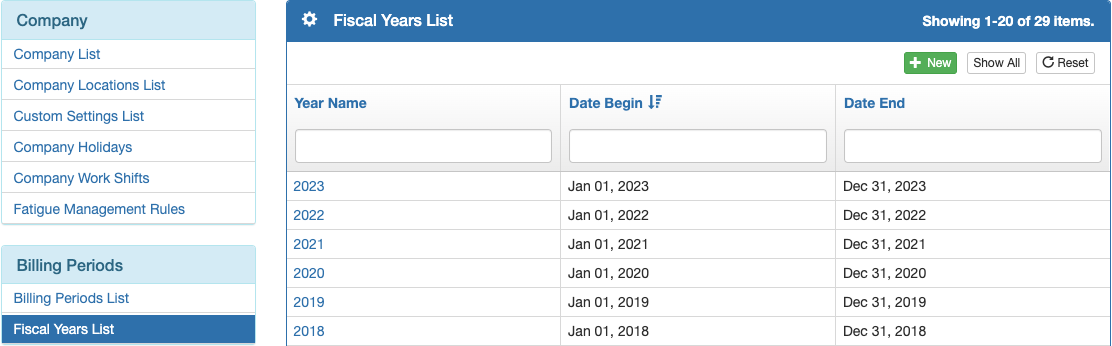
Name the year and set the Fiscal Year beginning and ending dates.

Create Billing Periods
Bulk Create Billing Periods
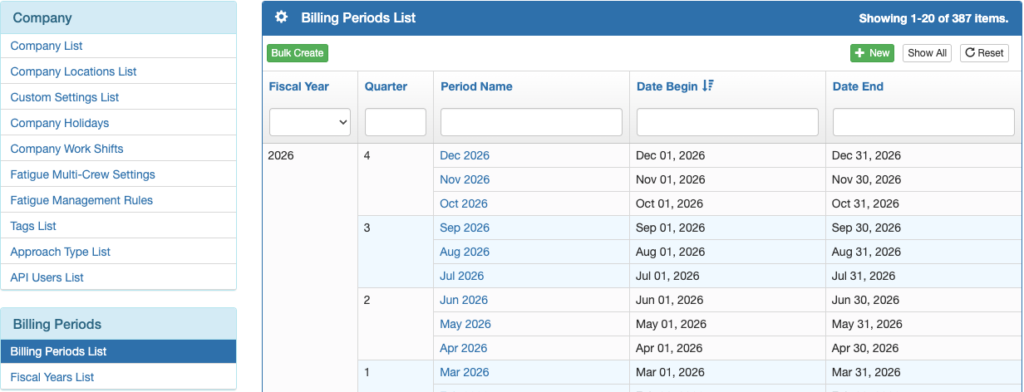
From the Billing Periods List menu, select the green Bulk Create button.
Select the beginning and ending months and years, select the first month of your fiscal year, and the desired period name format, then save.
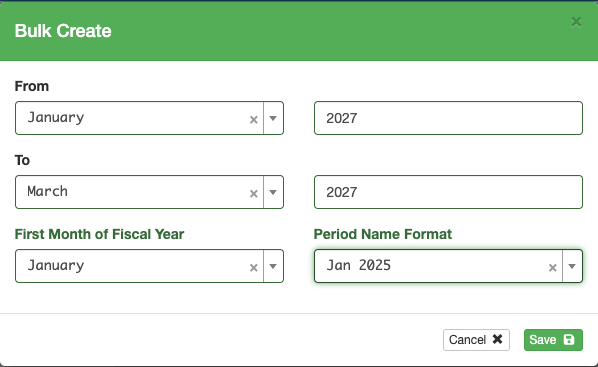
Note: If you create too many billing periods in advance, it will make the dropdown billing period lists excessively long.
Individual Billing Periods
Edit an existing billing period by clicking on the Period Name, or create new using the green New button.
Individual billing periods may be set for any length of time.

Video Version