Aircraft Hours
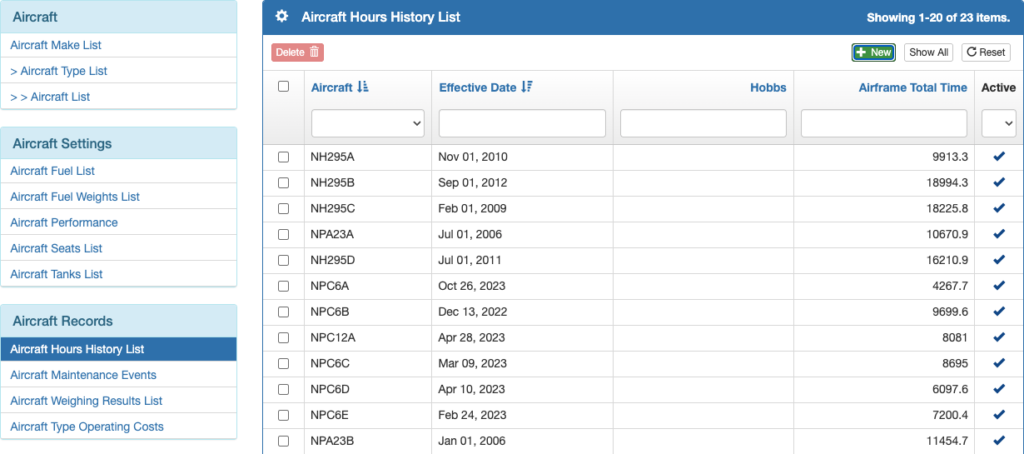
From the Aircraft Records menu on the left side bar, select Aircraft Hours History List and click the green New button.
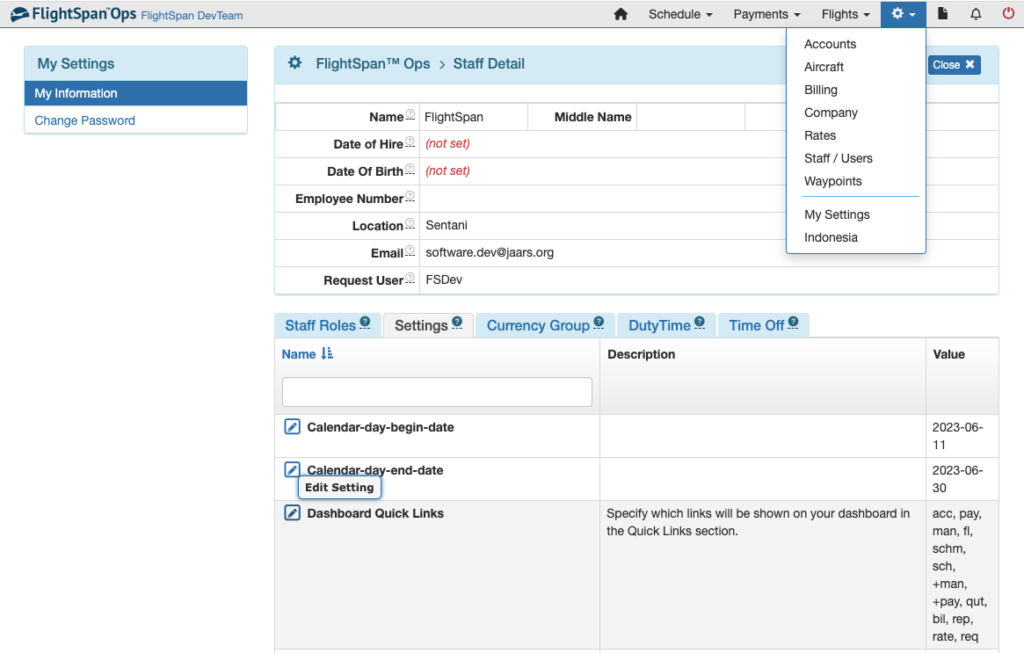
Note that shortcuts for Aircraft Hours History, Aircraft Maintenance Events, and Aircraft Weighing Results can be added to your home page from My Settings/My Information by editing Dashboard Quick Links under the Settings tab.
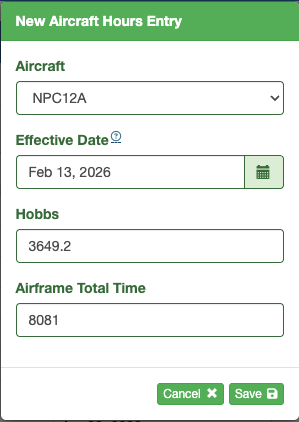
Select the aircraft, the start date, the Hobbs time and the airframe hours (not including any hours flown on that date) and save.
Hobbs is used to determine the offset for calculating the airframe total time on the EFB.
Note: If Hobbs hasn’t been entered yet, the EFB will use the latest Hobbs that was uploaded.
Note: After initial setup, the system will automatically track hours, benchmarking off of this initial airframe total time; in the rare event that a discrepancy between FlightSpan™ and the aircraft’s Hour Meter occurs, you may use the above procedure to record a new airframe total time.
Caution: Use care to enter the correct airframe total time. If you make an error, you can only correct it by making a new entry on the next date. Editing airframe time is not permitted in order to provide an accurate record of the airframe total time history.
Aircraft Weight
Note: Before you can complete the following steps, the installed aircraft Seats must be created. See the Aircraft Seats and Configurations documentation.
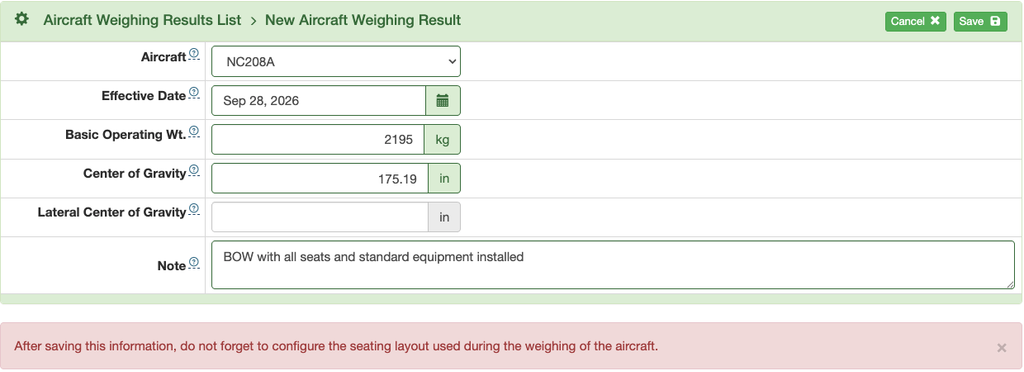
From the Aircraft Records menu on the left side bar, select Aircraft Weighing Results List and click the green New button.

Select the aircraft and enter the date the aircraft was weighed, the Basic Operating Weight (Basic Empty Weight plus all the normally installed aircraft equipment) and CG. For helicopters note the lateral CG.
IMPORTANT: for FlightSpan, the Basic Operating Weight entry must include all seats.
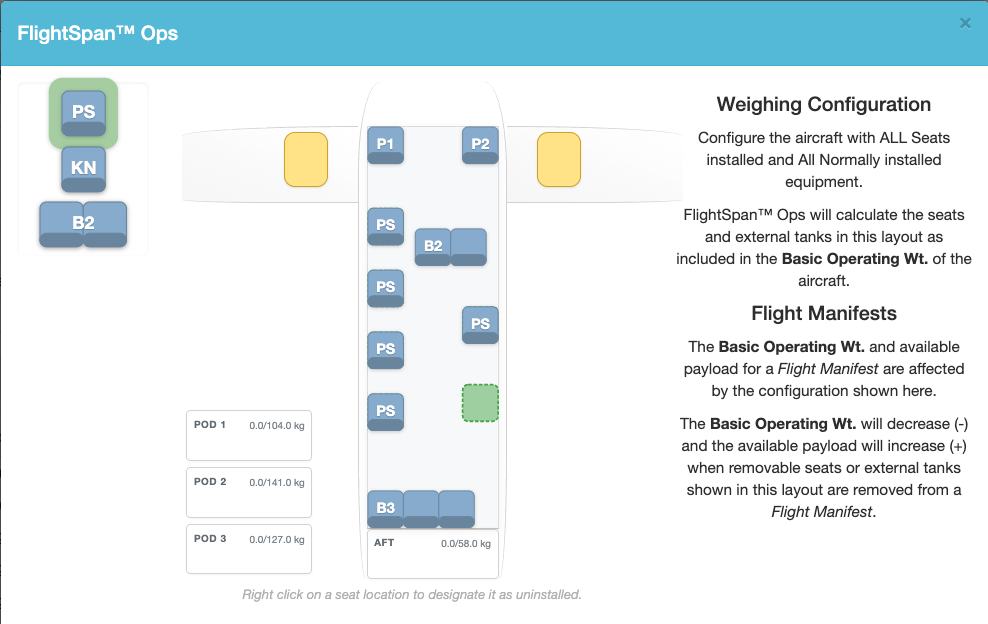
Save, and confirm that the configuration displayed is with all seats installed.
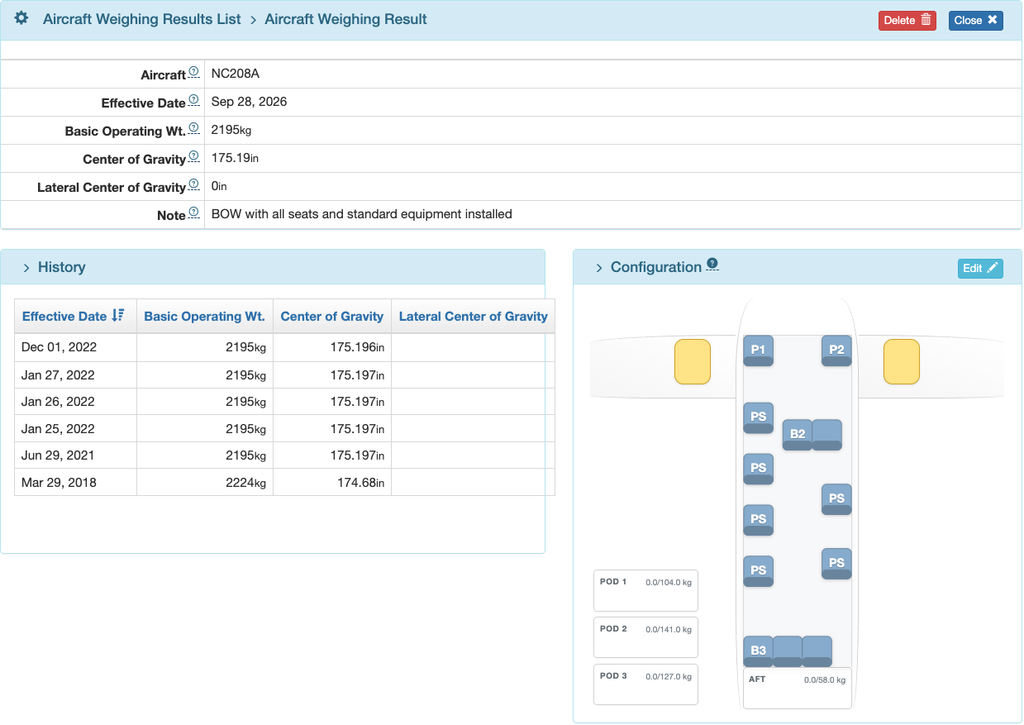
If the seat configuration is not correct, click on the Edit button and select from one of the defined configurations at the bottom. Or click on a seat to remove it.
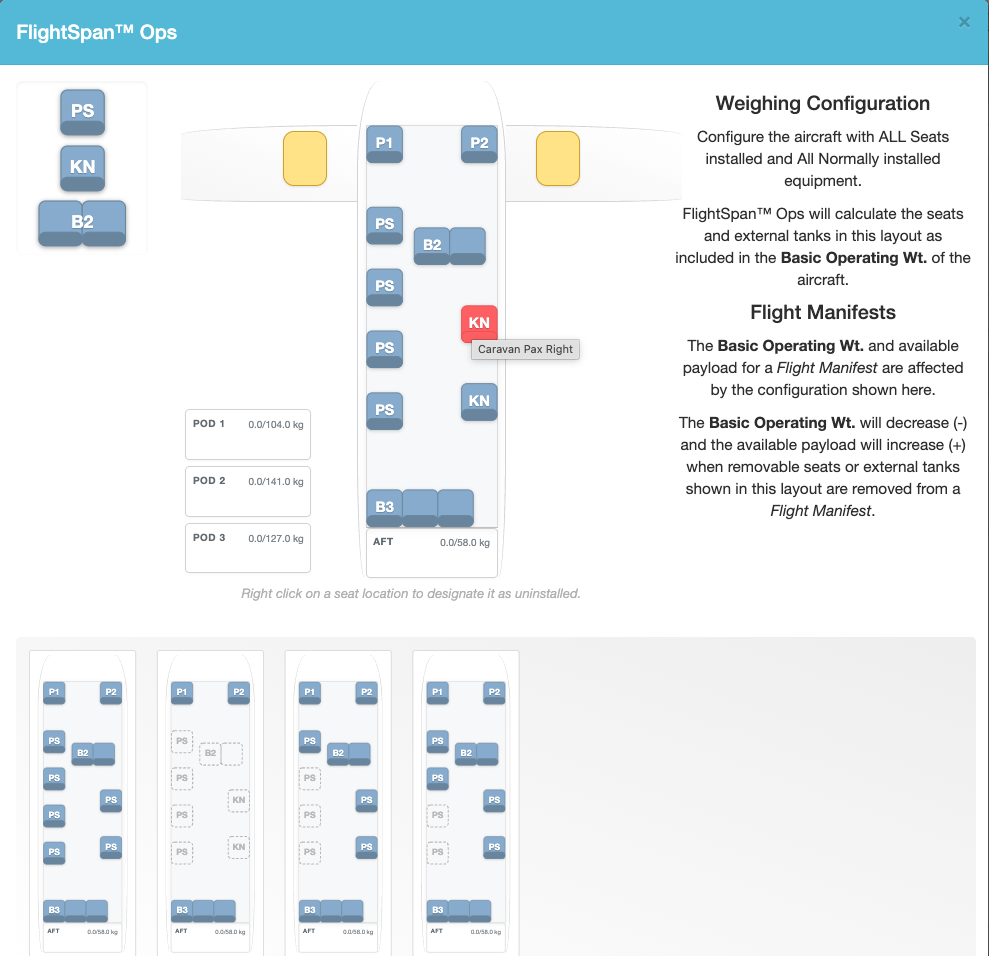
To install a seat, highlight the desired seat on the upper left, then click in the green space in the cabin in the desired seat location.
Again, FlightSpan BOWs need to include all seats. If the aircraft when weighed did not include ALL seats and normal equipment, then the BOW recorded in FlightSpan Ops must be calculated to include those missing items, and that calculated weight and arm must be entered in FlightSpan Ops. The seating configuration MUST include ALL seats.