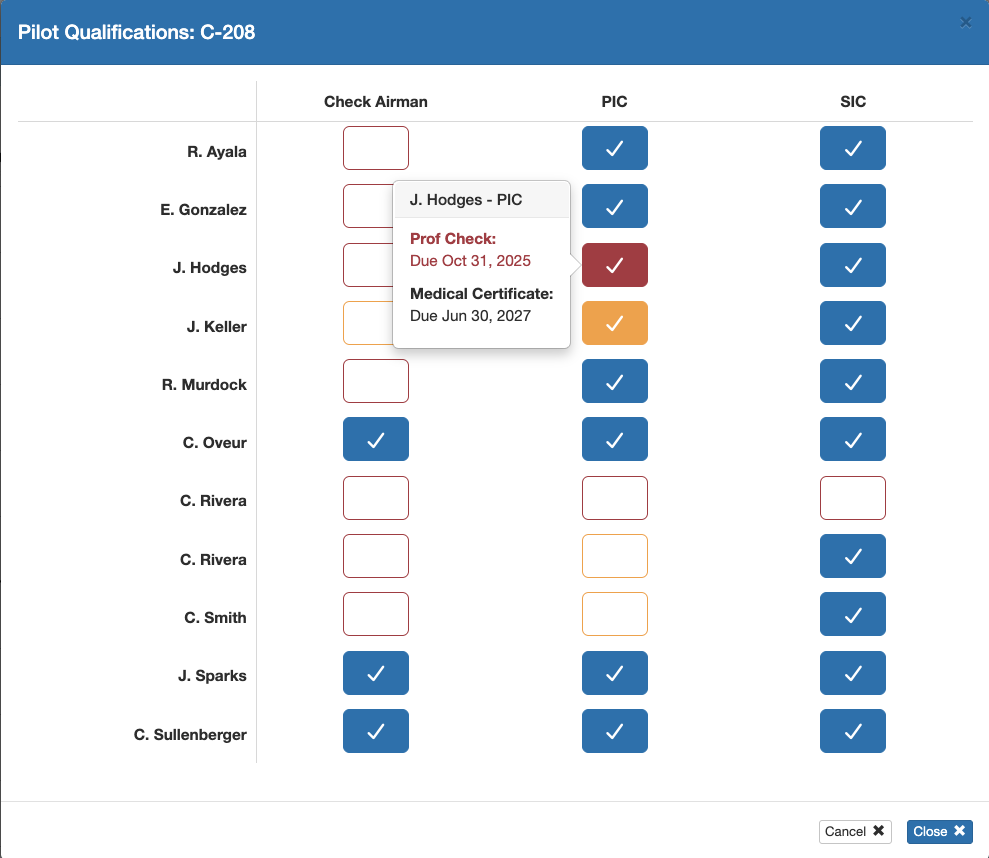
The Pilot Qualifications feature in FlightSpan™ allows you to ensure that scheduled crew are qualified for the aircraft type and role assigned to them on the flight schedule.
Create Qualification Requirements
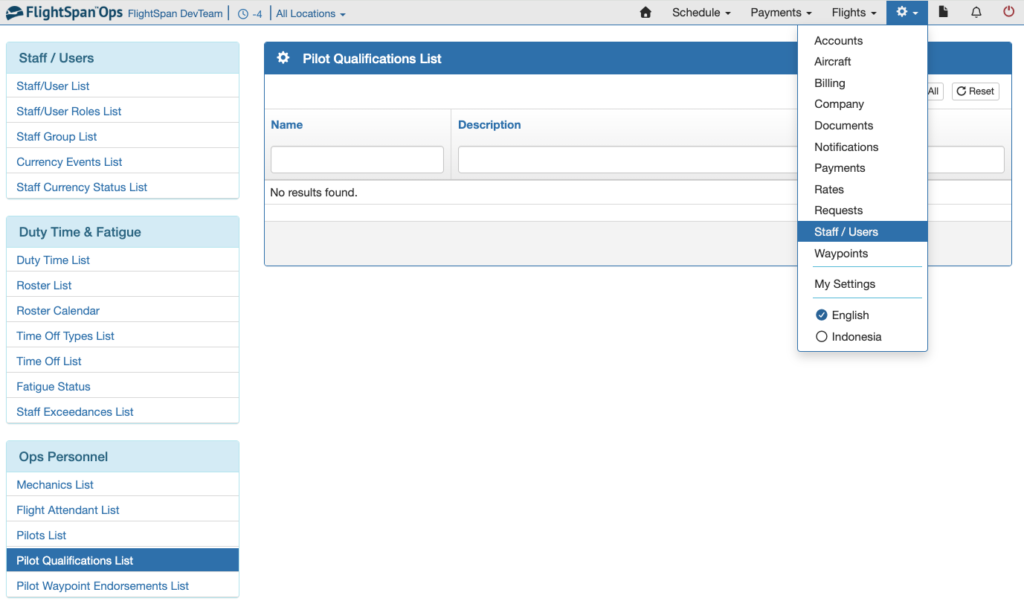
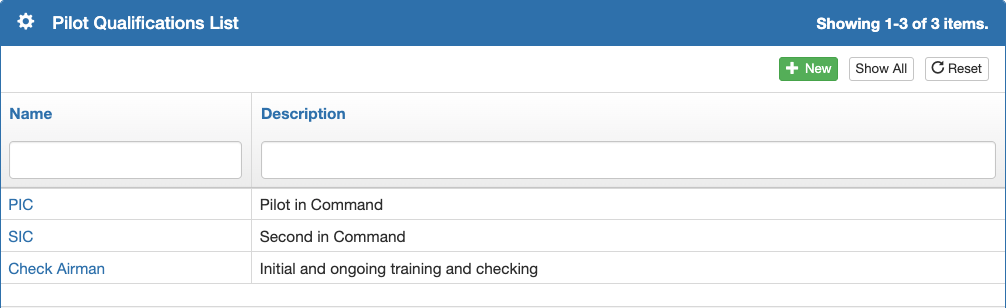
From the Staff/Users menu, select Pilot Qualifications List under the Ops Personnel menu.
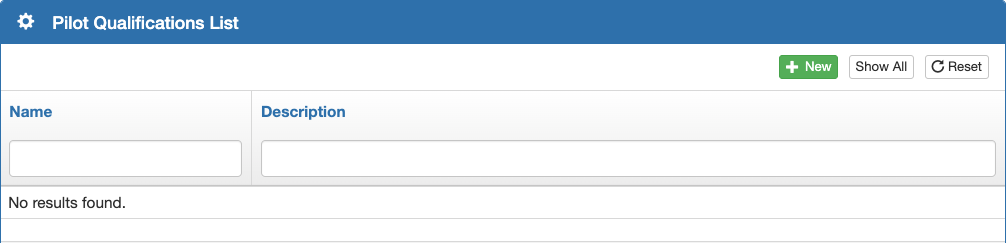
Create a new Qualification by clicking the green plus button.
Enter the pilot qualification name and a description if desired, then save.

Define the required currency items using the blue plus button.
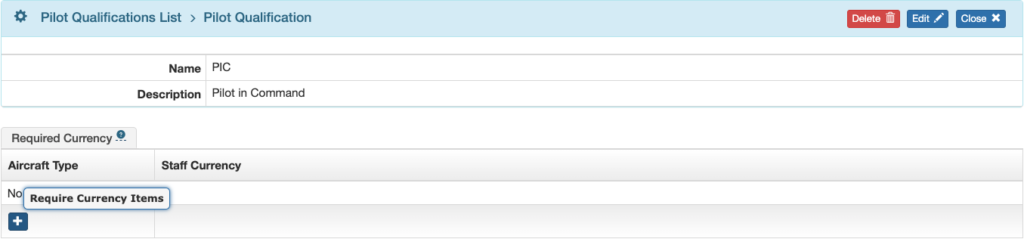
Select the aircraft type.
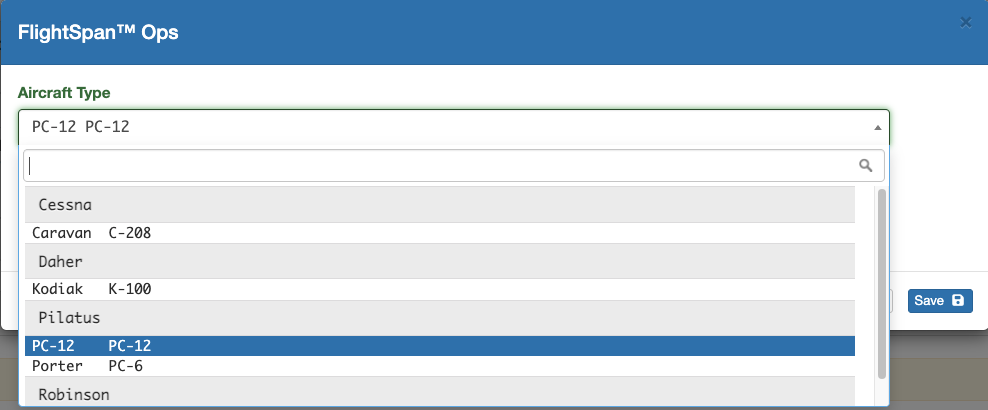
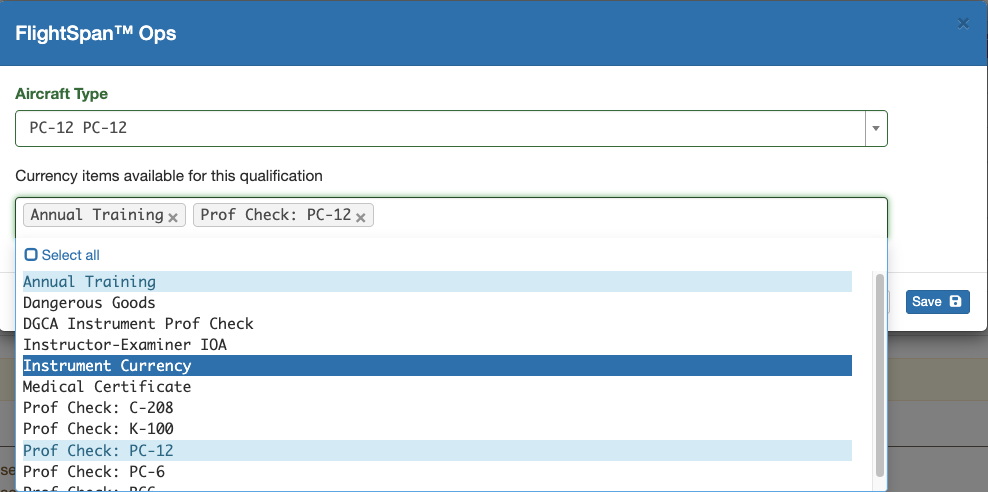
Then select all required currency items to maintain the qualification, and save.
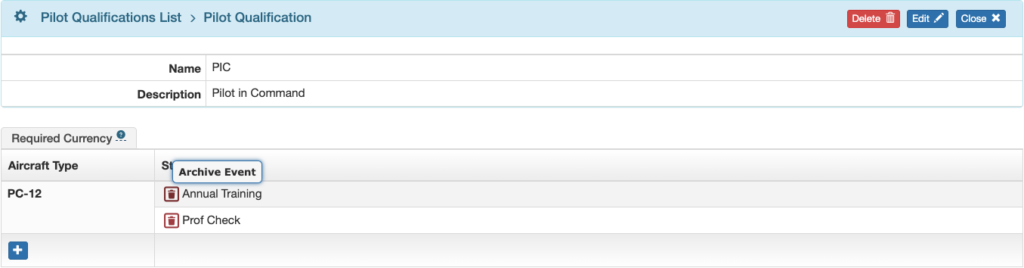
Remove a currency event using the red trash can icon.
Continue adding aircraft types and currency events as required.
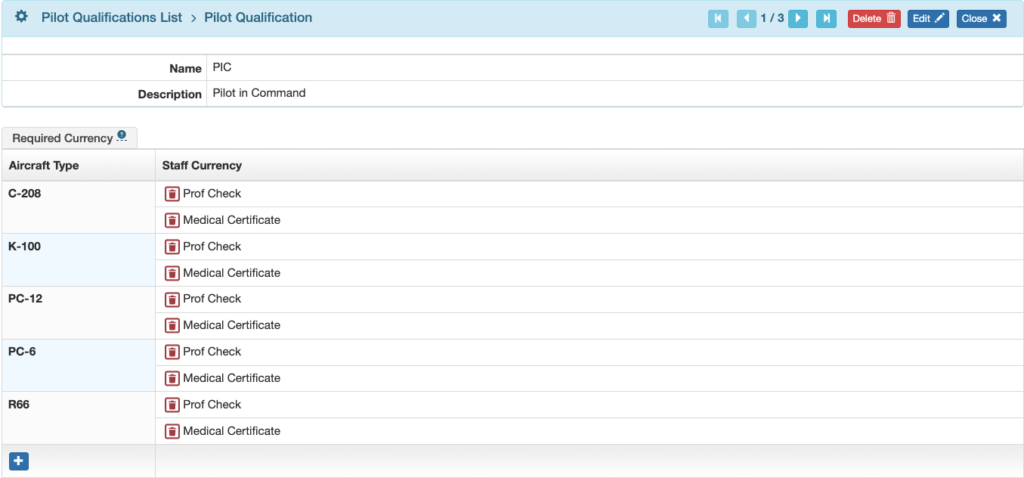
Continue adding pilot qualifications until your list is complete.
Assign Qualifications
From the Pilot Detail
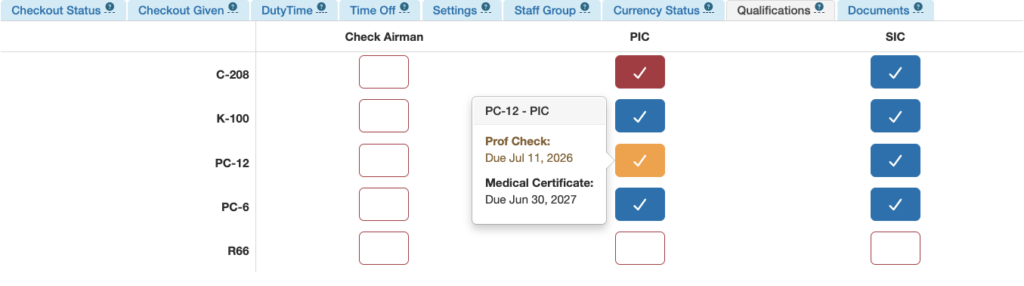
From the Qualifications tab of the Pilot Detail, add a qualification for that pilot by clicking on it.
View the status of the pilot’s currency requirements by hovering over the qualification.
- Blue – all currency requirements met
- Yellow – at least one currency event due soon
- Red – at least one currency event past due
Note: The Qualifications tab will not be visible if a pilot qualification requirement has not yet been created.
From the Aircraft Type Detail
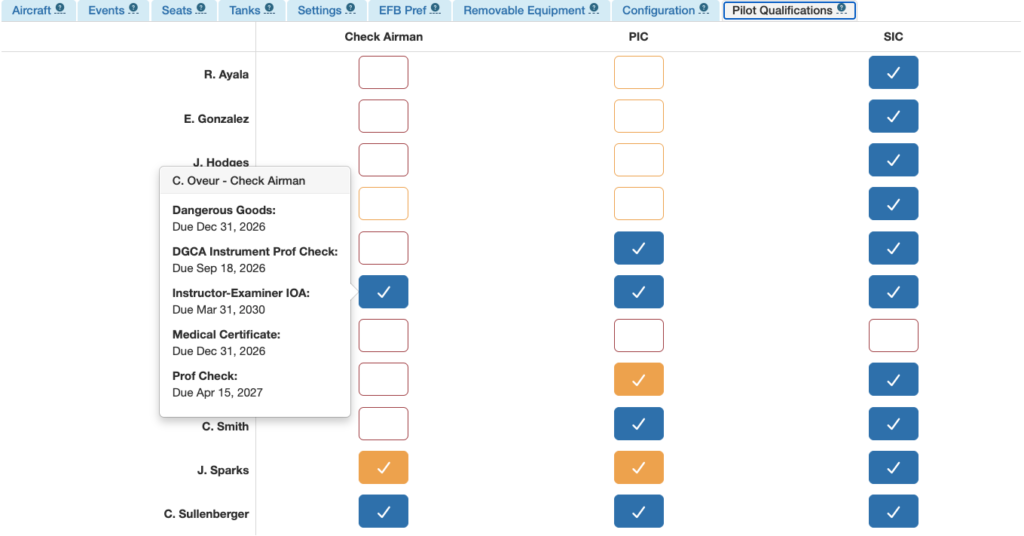
From the Pilot Qualifications tab of the Aircraft Type Detail, add a pilot and their qualification by clicking on it.
Hover over a block to view currency details.
Color coding is the same.
Note: The Qualifications tab will not be visible if a pilot qualification requirement has not yet been created.
View Qualifications
Pilot qualifications can be viewed from the Pilot Detail or the Aircraft Type Detail as previously described.
They can also be viewed from the Scheduling calendar by clicking on the pilot icon under each aircraft.

Pilot qualifications for that aircraft type will be displayed.
Hover for currency details.
No changes can be made from this view.