
Pilot Proficiency List
From the Settings menu, select Staff/Users, then from the Ops Personnel menu, select Pilot Proficiency List.
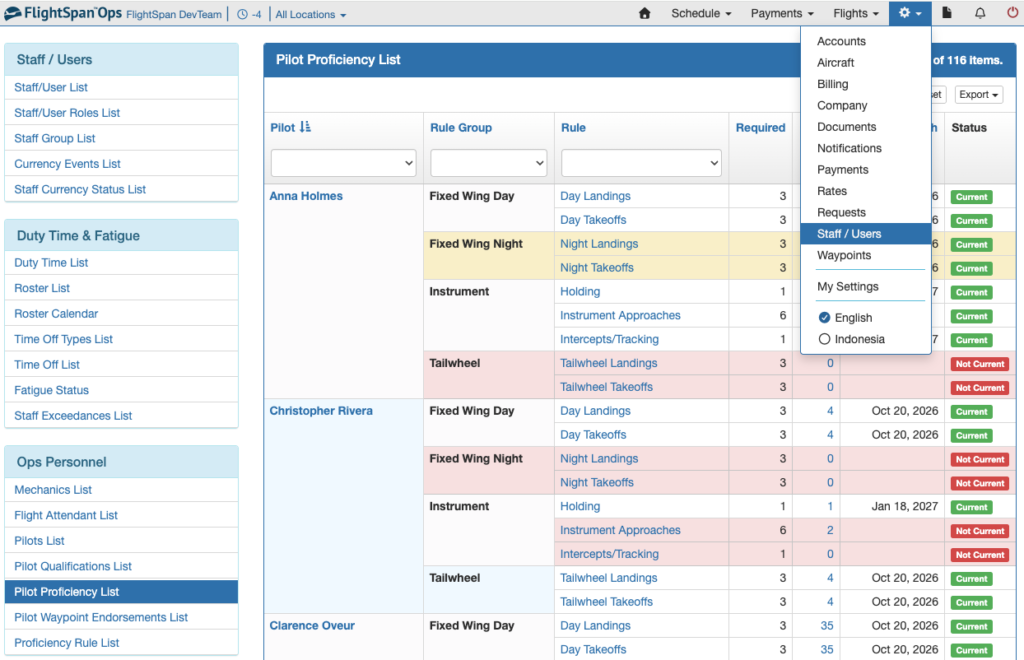
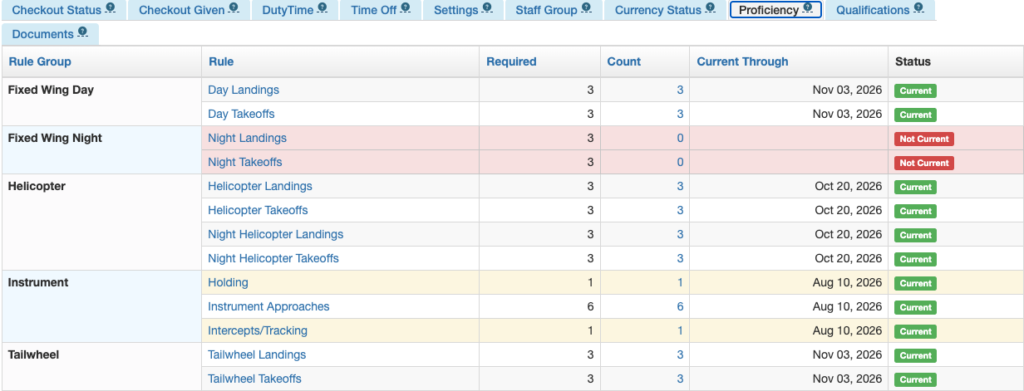
Color Code:
- White – Pilot is current
- Yellow – Pilot is current but within the warning period
- Red – Pilot is not current
Click on blue highlighted cells:
- Pilot Name – Link to the Pilot Detail
- Rule Name – Link to the Proficiency Rule
- Count – Link to the Pilot Logbook
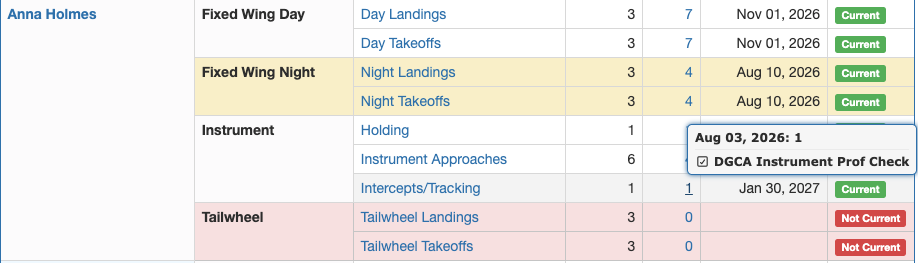
Hover over the count field to see the date(s) or Currency Event that meets the requirement.
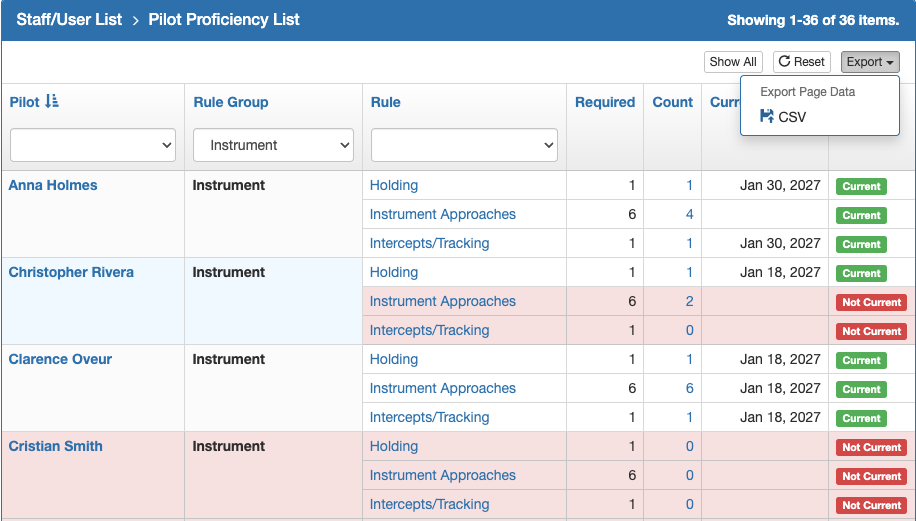
Filter the list using the dropdown lists at the top of each column.
Sort as desired by clicking on the blue column title.
If necessary click Show All to get all the results on one page, then export to a CSV file by clicking on the Export button.
Notifications
Pilot Notifications
If a pilot is not current, or is within the warning period, when they log into FlightSpan, there will be notifications on the notification bell for any proficiency rules set to either the Pilot or Everywhere alert levels.
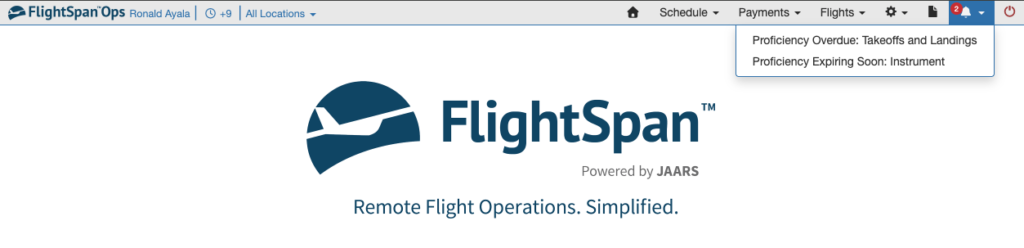
Click on a notification to open the Proficiency tab of their pilot detail.
After any page is refreshed, the notification bell will be cleared until the next time they log in.
Calendar Notifications
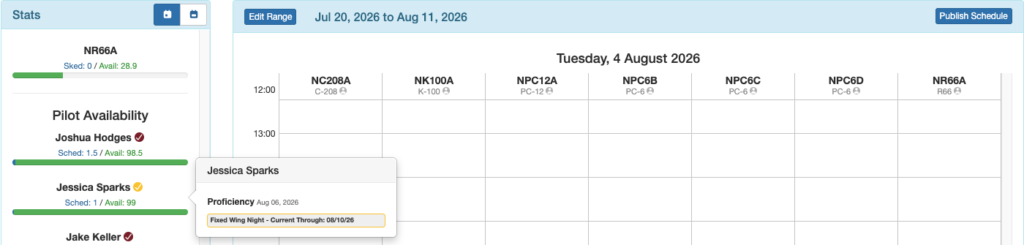
On the Scheduling Calendar, an alert badge will show next to a pilot’s name if they have proficiency requirements for any rules that have the alert level set to Everywhere.
A red badge will be displayed if as of today they are past due for a Proficiency Rule.
Hover over the badge for the affected Rule Group.
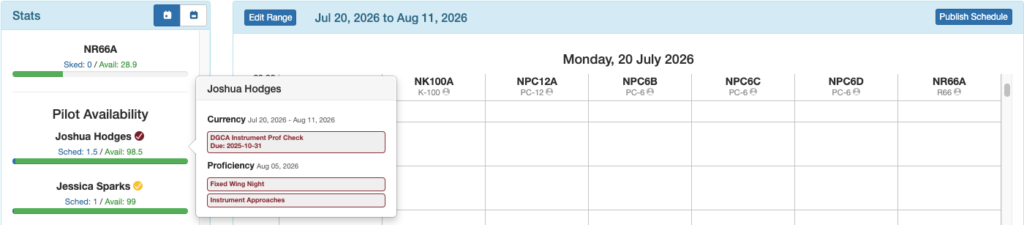
Note: Currency Events will also generate a badge based on the selected calendar range.
A yellow badge will be displayed if as of today the pilot is within the warning period for a Proficiency Rule.
Hover over the badge for the affected Rule Group and the date the Proficiency Rule is due.
Video Version