
Edit Aircraft Details
From the Aircraft List, click on the registration number of the aircraft to be edited.
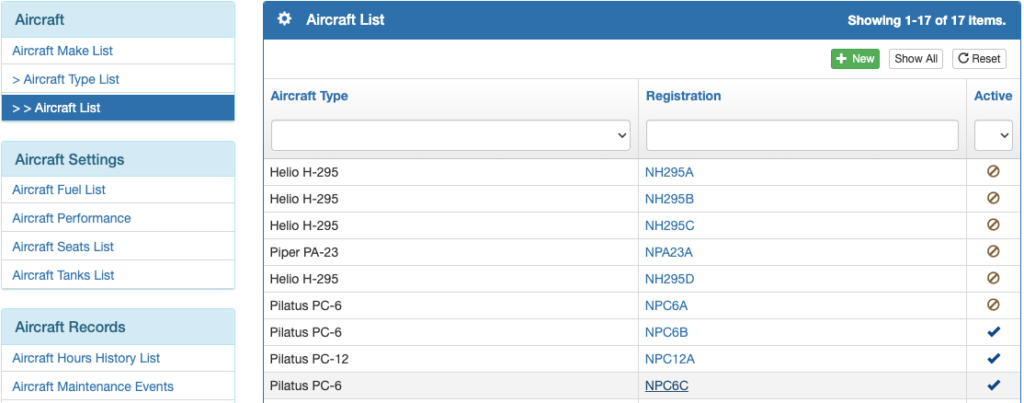
Deactivate an aircraft by toggling the Active button.
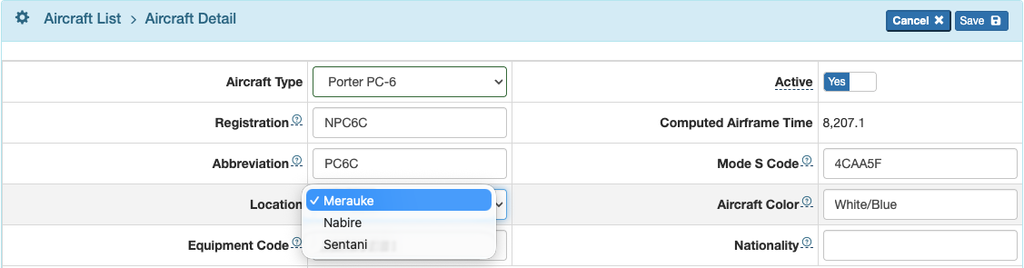
Edit the registration number or abbreviation as necessary.
If Computed Airframe Time is inaccurate, make a new Aircraft Hours entry following the instructions in the New Aircraft Setup document.

Set the aircraft’s Location if more than one company location has been set up. See the Company Locations documentation for details.
Set the Mode S Code (ICAO address) and the aircraft color(s). Both are used for ICAO flight plans.
The Nationality of the aircraft is used for General Declaration documents.
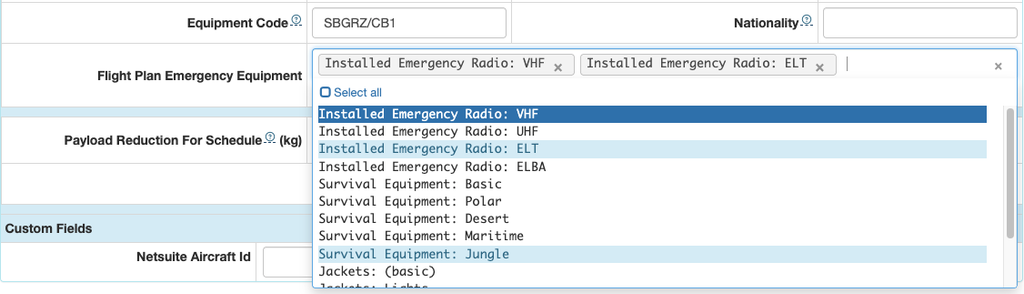
Enter the Equipment Code for the communication, navigation, approach aids, and surveillance transponder equipment on board the aircraft.
Select from the list for emergency equipment carried on board.
Both fields are used for the ICAO flight plan.
Set a payload reduction if desired. The reduction will be applied during the planning phases of a flight, and the reduction will be automatically removed when the Schedule Status has been changed to either Planned or Confirmed.
This can be useful if this aircraft is significantly lighter than other aircraft of the same type in the fleet, so that if you change to the heavier aircraft it is not overbooked.

Finally, set the Order on the Scheduling Calendar as desired. The default sort order is alphabetically by aircraft type, then by registration number. If you specify a sort order, lower numbers will be on the left. If you set all aircraft of the same type to the same number, they will be ordered next to each other alphabetically by registration number.

Be sure to Save when you are finished editing.

Aircraft Detail Tabs
Maintenance Events
Add, edit, or delete maintenance events from here or from the Aircraft Maintenance Events on the Aircraft Records menu on the Aircraft page, following the instructions in the Recording Maintenance document.

Hours
View the history of hours entries for this aircraft. Make a new Aircraft Hours entry following the instructions in the New Aircraft Setup document.

Weight
View the aircraft weighing results history for this aircraft. Make a new Aircraft Weight entry following the instructions in the New Aircraft Setup document.

Settings
The Settings tab is not currently in use.

Quick Configurations
If an individual aircraft in your fleet has different seat configurations from other aircraft of the same type in the fleet, click the Create Aircraft Quick Configurations button and follow the instructions in the Aircraft Seats and Configurations document.

Documents
View, download, add, edit, or delete documents. See Other Document Views for details.
