
The release will occur during your normal daily maintenance window (typically midnight to 3 am local time).
Click to watch a short video highlighting two of the most important new enhancements.
New Feature
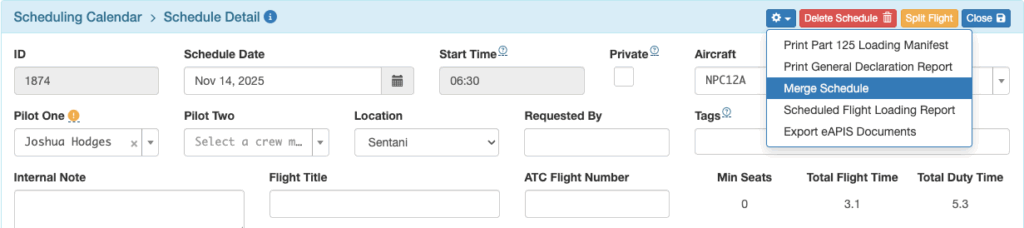
- Added the ability to merge one scheduled flight into another. See the documentation for details.
Enhancements
- Added the ability to print the Scheduled Flight Loading Report from the Schedule Detail view. See the documentation for details.

- Added the ability to view and print the scheduled loads by leg from the Schedule Detail view. See the documentation for details.

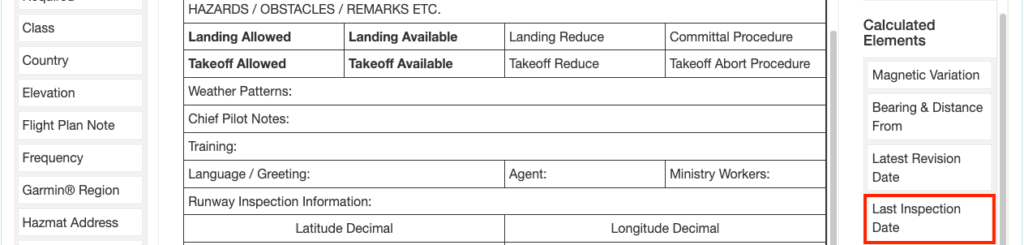
- Added a new calculated runway chart element named “Last Inspection Date” in the Chart Layout Builder
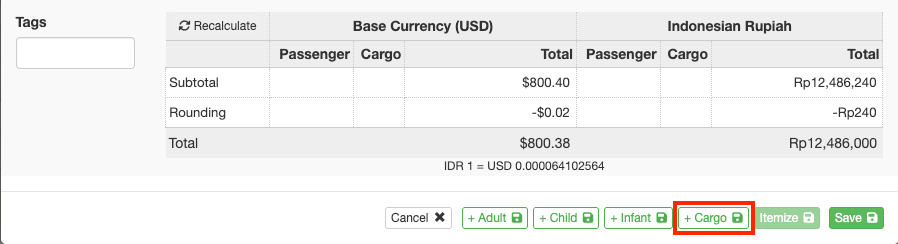
- Added a “Save and add cargo” button to the payment load form
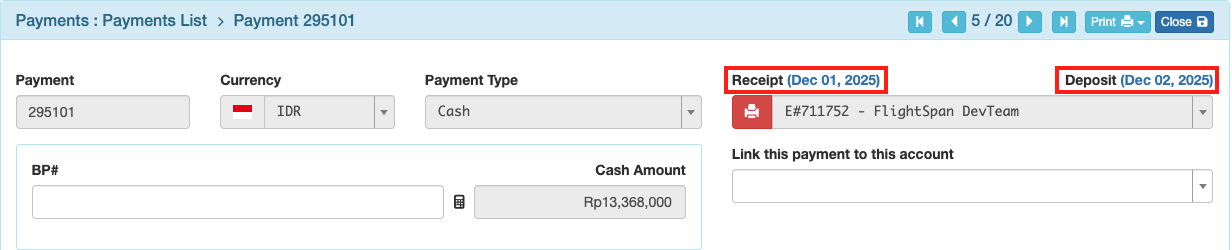
- Added the cash receipt and deposit statuses, and links to their respective receipt series and deposit details pages
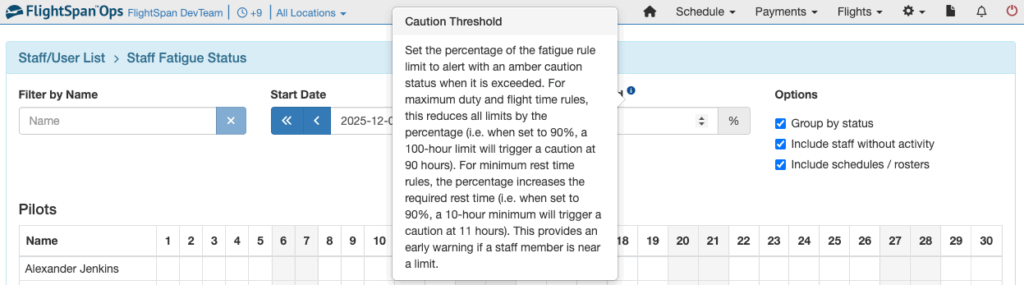
- Added a help popup to the caution threshold field on the Staff Fatigue Status view
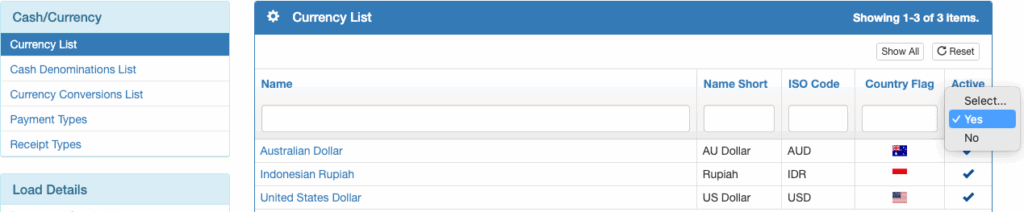
- Added an “Active” option to billing currencies in order to simplify the process of enabling and disabling currencies and determining which currencies are available on the EFB
- Added the ability to customize the signature lines on the condensed manifest report. See the Company Locations documentation for details.
- Payment effective date will default to today for cash payments created from flight requests
- Payment effective date is now editable until receipted, exported, or associated with a closed flight record
Bug Fixes
- FSO was not sending cash payments approved to link to a flight to the EFB
- Intermittent failure to drag and drop a scheduled flight down the page with the assist of scrolling
- Drag sorting of scheduled flight legs not working as it should
- Unscheduled Hours to Maintenance on the scheduling calendar was not matching when the scheduled flight hours on the current day differ from the actual flight hours on the current day
- Associated tags were not being inherited by new payment loads created through the EFB
- Netsuite 5 Deferred Income Export was not showing original income values for refunded and locked payments
- Netsuite 5 Billing Export External IDs were overlapping with refund records
- Jump seat pax were being included in the total embarking / disembarking passenger count
- Cached company preferences were not updating when changed
- Cargo on Standby list resulted in an error when no records were found
- “Do Not Schedule” loads were displaying without a background color
- Arrival times on the published schedules were showing the departure times
- Test Rate tool was not working properly
- The “Next” button on the scheduled non-manifest loads pax details form was applying new pax to a load other than the selected load.
- Attempted to resolve a bug related to runway chart revisions being erased intermittently
New Permission
- Flight Reports / Manifests / Scheduled Flight Loading Report
Removed Permissions
- None
New Company Custom Setting
- Authorized App Login Expiration Days – By default, security keys for logging into the FlightSpan™ Tools app (scheduled for release in late January) will expire in 90 days, so that every 90 days a pilot will need to re-authenticate his login credentials to the tools app by logging into FlightSpan™ Ops. NOTE: this has no impact on the FlightSpan™ EFB.
New Company EFB Preference
- Allow Passenger Names In Seats
New Permissions Added To Standard Roles:
- Flight Reports / Manifests / Scheduled Flight Loading Report added to the following roles:
- Admin – All FlightSpan Settings
- Admin – All Manifest Settings
- Admin – All Schedule Settings
- Manage – Flight Coordinator
- Manage – Flight Manifests Create
- Manage – Ground Operations Manager
- Manage – Print Manifest Reports
- User – Pilot
- View – Schedule Viewer
Existing Permissions Added To:
- Manage – Ground Operations Manager
- FlightSpan Reports / Manifests
- Manifest Complete Report
- Manifest Condensed Report
- Manifest Destination Report
- FlightSpan Reports / Manifests
Existing Permissions Removed From:
- None
New Standard Roles Created
- None