
FlightSpan™ Ops 4.11.0 includes one new feature, multiple enhancements, and a few bug fixes.
The release will occur during your normal daily maintenance window (typically midnight to 3 am local time).
New Features
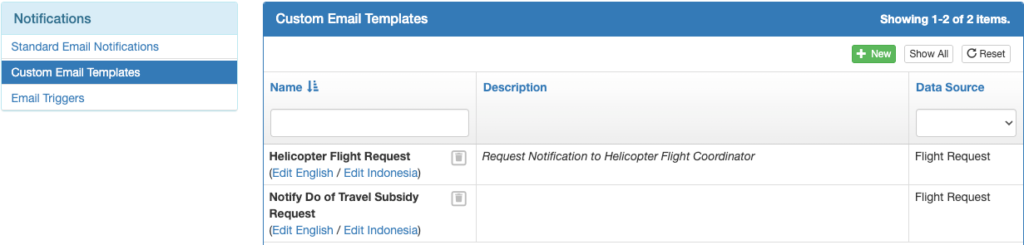
- Users can now create custom Flight Request email notifications. See the documentation for details.
Enhancements
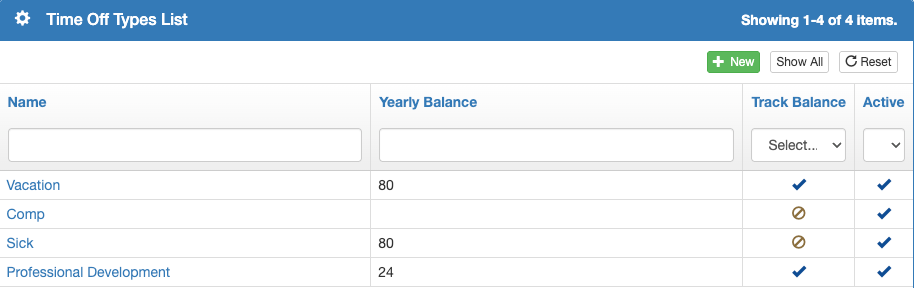
- Added the ability to customize and track unique time off types. See the documentation for details.
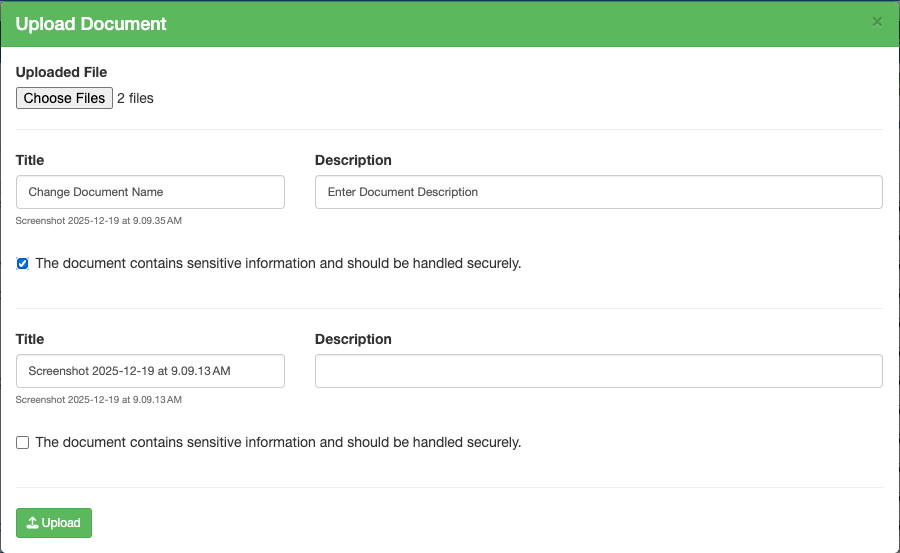
- Multiple documents can now be uploaded at the same time
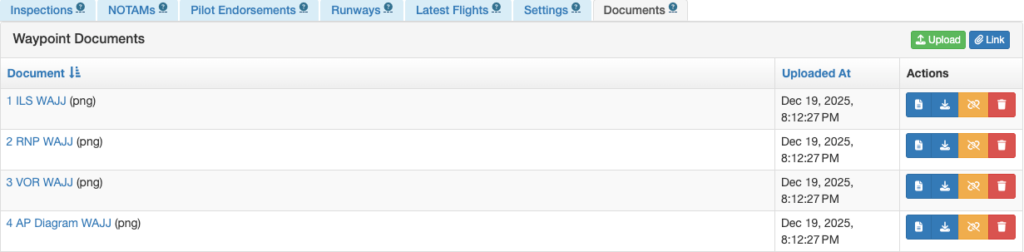
- Added the ability to sort documents on the waypoint detail Documents tab
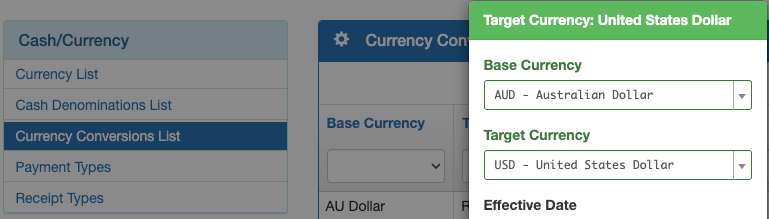
- Billing currency conversions from one non-primary currency to another non-primary currency are now possible. See the documentation for details.
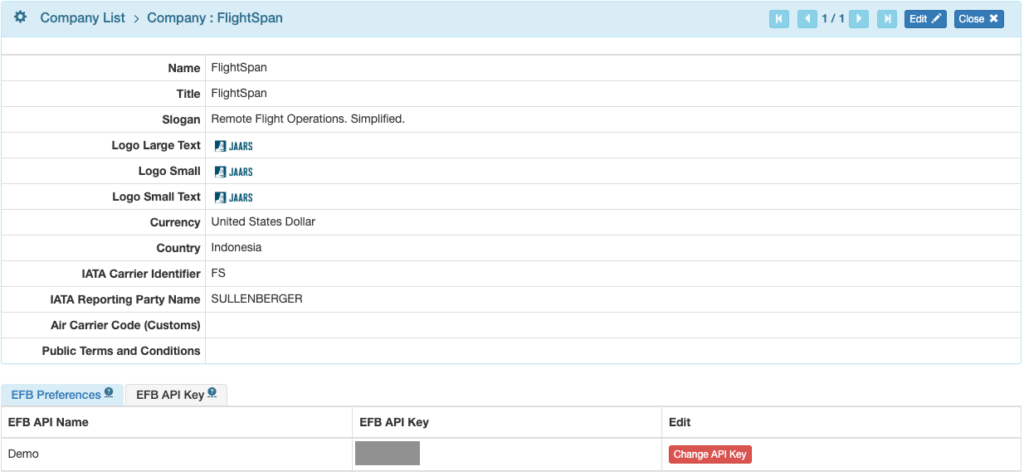
- Added the EFB Company Name to the EFB API Key tab on the company information page
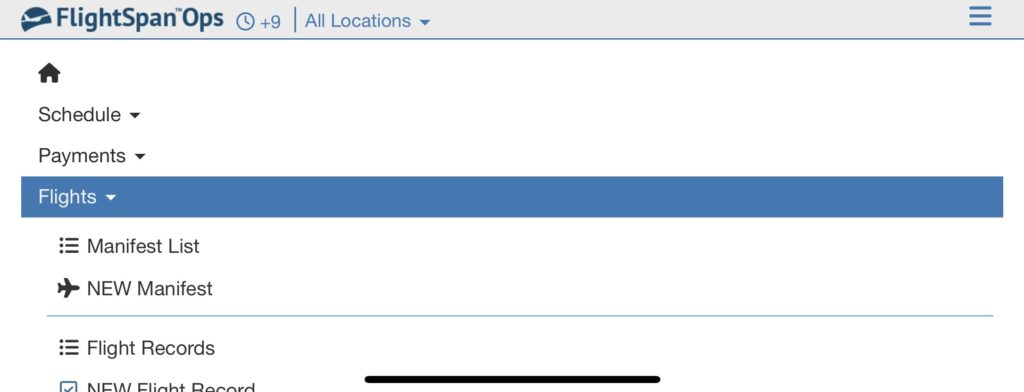
- Updated the login view and the navbar to be more mobile friendly
- Added the ability to export data from the Pilot Waypoint Endorsements list
- Added takeoff and landing weight reductions to the Pilot Checkout Sheet Report
- Optimized flight payload calculations to include pilot specific weight limitations at specific waypoints
- Added currency formatting to the Aircraft Type Operating Cost details
- Route names in the Scheduled Flight Leg form can now be searched
Bug Fixes
- Weekly view of scheduling calendar was blank when the date range was a single day
- Price Line Items were in the wrong order on printed payment invoices
- “Allow Passenger Names in Seats” company preference was missing
- Scheduled flights would not open when unattached loads existed
- Aircraft registration was wrapping on the JAARS statistics report
- Routes with different names but duplicate waypoints weren’t visible on the Scheduled Flight Leg form
- Monthly scheduling calendar page was not being retained across visits
New Permissions
- FlightSpanOps
- Notification
- Email Template Create
- Email Template Delete
- Email Trigger View List
- Email Trigger Create
- Email Trigger View
- Email Trigger Delete
- Email Triggers Conditions Create
- Email Triggers Conditions Update
- Email Triggers Conditions Delete
- Settings : Staff / Users
- Access FlightSpan Tools App
- Staff Authorized Apps Manage
- Time Off Types View List
- Time Off Types Create
- Time Off Types View
- Time Off Types Delete
- Time Off Types Staff Manage
- Time Off Types Edit
- Notification
Note: the following two permissions will go into effect when the FlightSpan™ Tools app is released in mid January.
- FlightSpanOps
- Settings : Staff / Users
- Access FlightSpan Tools App
- Staff Authorized Apps Manage
- Settings : Staff / Users
Renamed Permissions
- FlightSpanOps
- Request / Email Template List View => Notification / Email Template List View
- Request / Email Template View Details => Notification / Email Template View Details
- Request / Email Template Edit => Notification / Email Template Edit
- Request / Email Trigger Edit => Notification / Email Trigger Edit
- Settings : Staff / Users
- Staff Currency Category Link => Staff Groups Link
- Staff Currency Category Unlink => Staff Groups Unlink
- Currency Category Index => Groups Index
- Currency Category Create => Groups Create
- Currency Category View => Groups View
- Currency Category Delete => Groups Delete
- Currency Category Staff Link => Groups Staff Link
- Currency Category Staff Unlink => Groups Staff Unlink
- Currency Category Manager Link => Groups Manager Link
- Currency Category Manager Unlink => Groups Manager Unlink
New Company Custom Settings
- None
New EFB Preferences
- Company Preference
- App Update Prompt: Replace App Store Button With This Text – Whatever text is entered will be added as a new paragraph below the existing prompt, and the button that takes the user to the App Store will be removed.
- Aircraft Type Preferences
- Show Va Speed On MAP – When set to Yes, Maneuvering Speed will be displayed on the map tab. Va at various weights must be provided to FlightSpan™ Support to function.
- Show Post Landing Checklist – When set to yes, the post landing checklist will be displayed on the Arrival/Post Landing tab. The contents of the checklist are set under Aircraft Type EFB Preferences/After Landing Checklist Items preference.
New Permissions Added To Standard Roles:
- Admin – All FlightSpan Settings
- All FlightSpanOps / Notification permissions added
- Admin – All Staff Settings
- All new FlightSpanOps / Settings : Staff / Users permissions added
- Manage – Time Off
- FlightSpanOps / Settings : Staff / Users
- Time Off Types View List
- Time Off Types View Details
- FlightSpanOps / Settings : Staff / Users
- User – Pilot
- FlightSpanOps / Settings : Staff / Users
- Access FlightSpan Tools App
- FlightSpanOps / Settings : Staff / Users
- View – Everything
- FlightSpanOps / Settings : Staff / Users
- Time Off Types View List
- Time Off Types View Details
- FlightSpanOps / Settings : Staff / Users
- View – Staff/Users
- FlightSpanOps / Settings : Staff / Users
- Time Off Types View List
- Time Off Types View Details
- FlightSpanOps / Settings : Staff / Users
Existing Permissions Added To:
- None
Existing Permissions Removed From:
- None
New Standard Roles Created
- Admin – All Notification Settings
- FlightSpanOps / Notification – all Notification permissions added