
FlightSpan™ 10.11.0 includes four new features, a number of enhancements, and bug fixes.
New Features
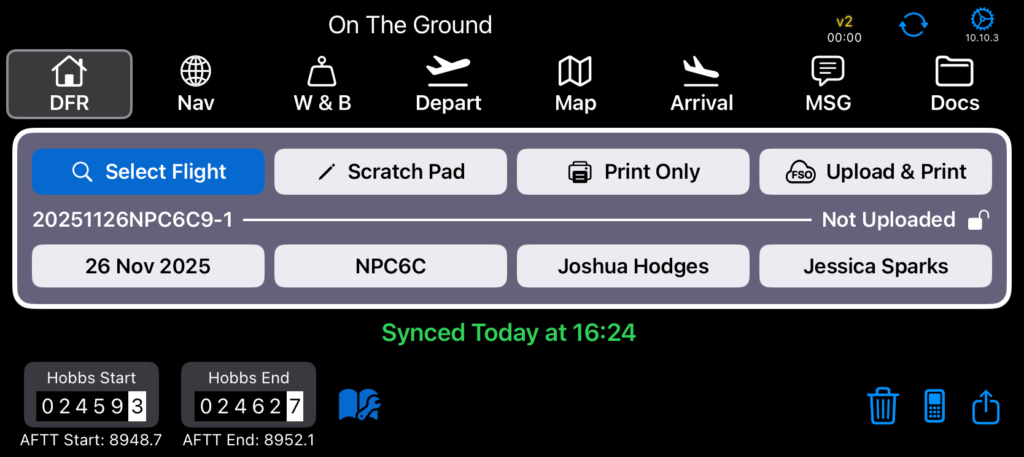
- Airframe Total Time is now displayed under the Hobbs
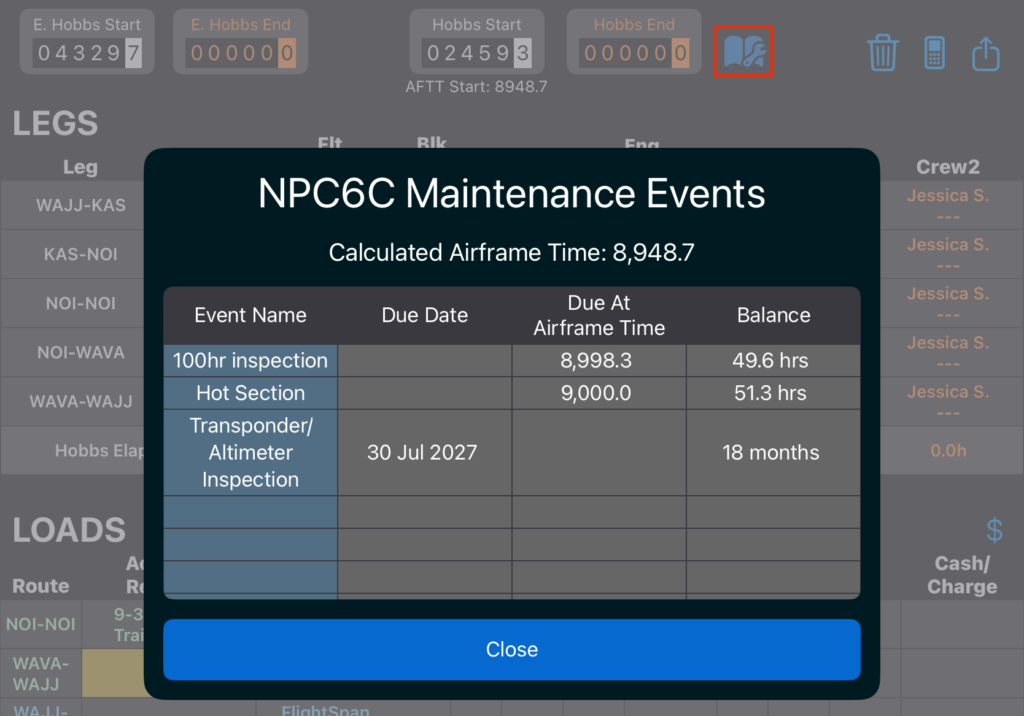
- If there are maintenance events recorded in FlightSpan Ops, a maintenance logbook icon will appear next to the Hobbs meter. Tap on the logbook to view upcoming maintenance events.
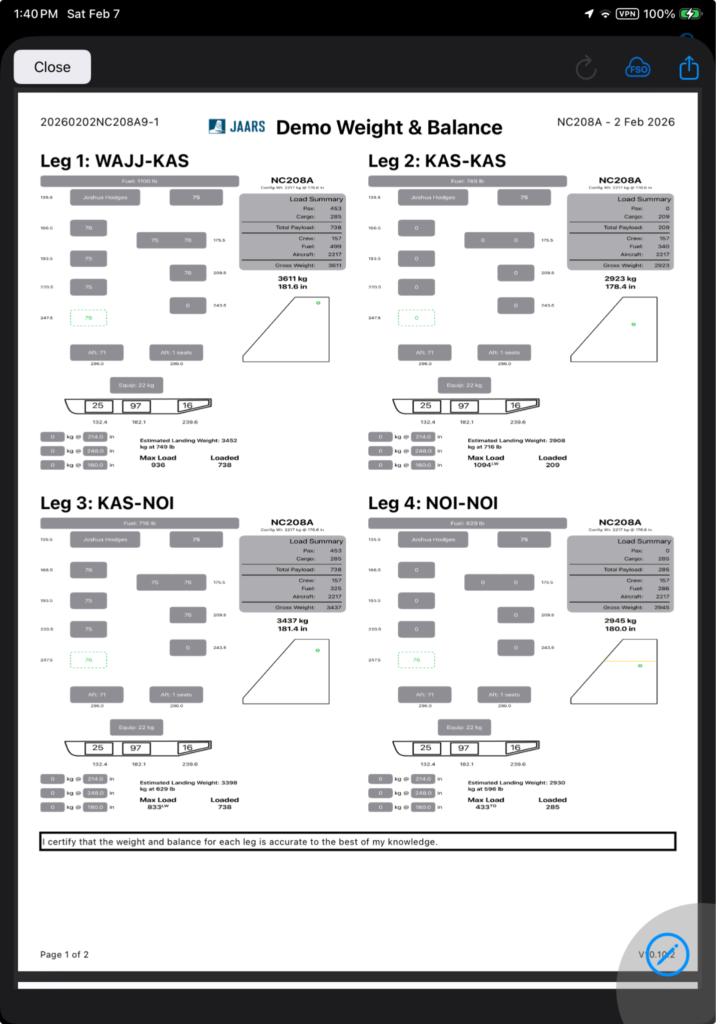
- The Weight and Balance forms can now be printed at any time or as part of the DFR upload process
- The EFB can now be set to automatically sync by enabling the Auto Synchronization Time (UTC) Company EFB Preference
Enhancements
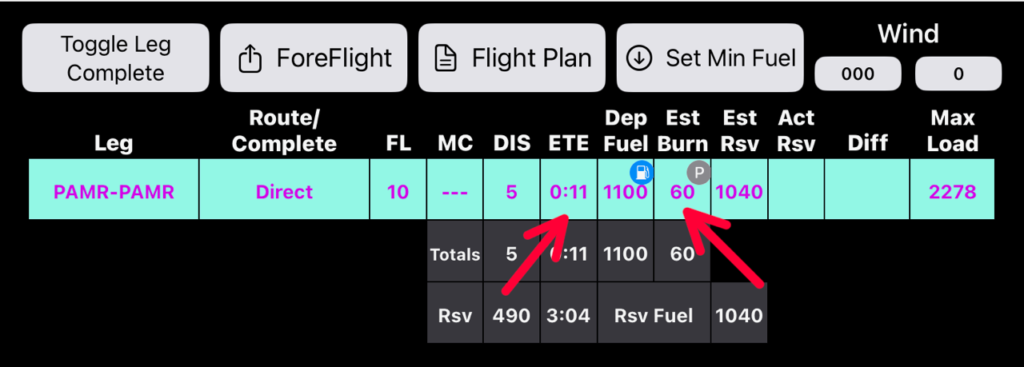
- You can now plan fuel burns and flight times for any pattern work/circuit training. See the documentation for details
- You can now sign any of the documents that are part of your DFR upload process
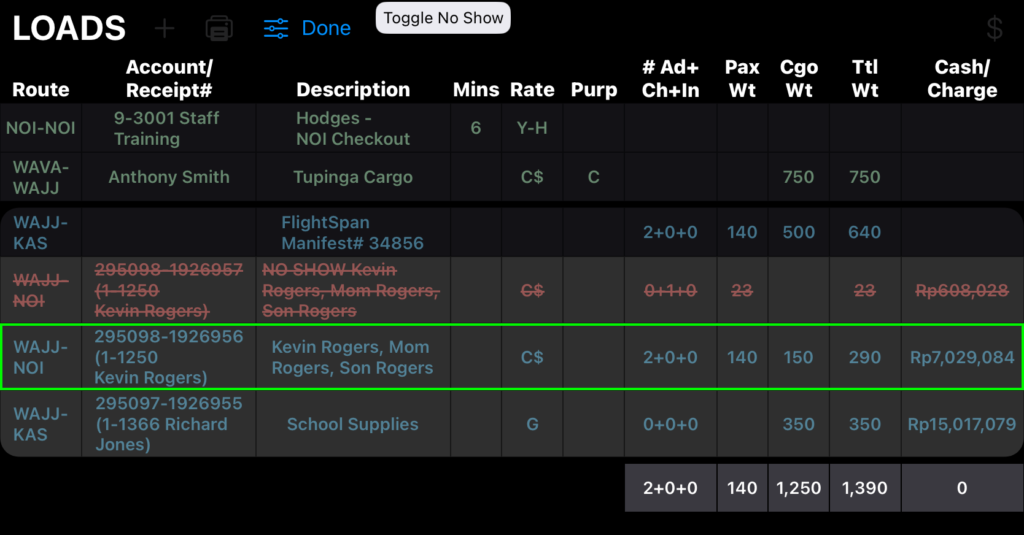
- Manifest loads can now be marked No Show. See the documentation for details.
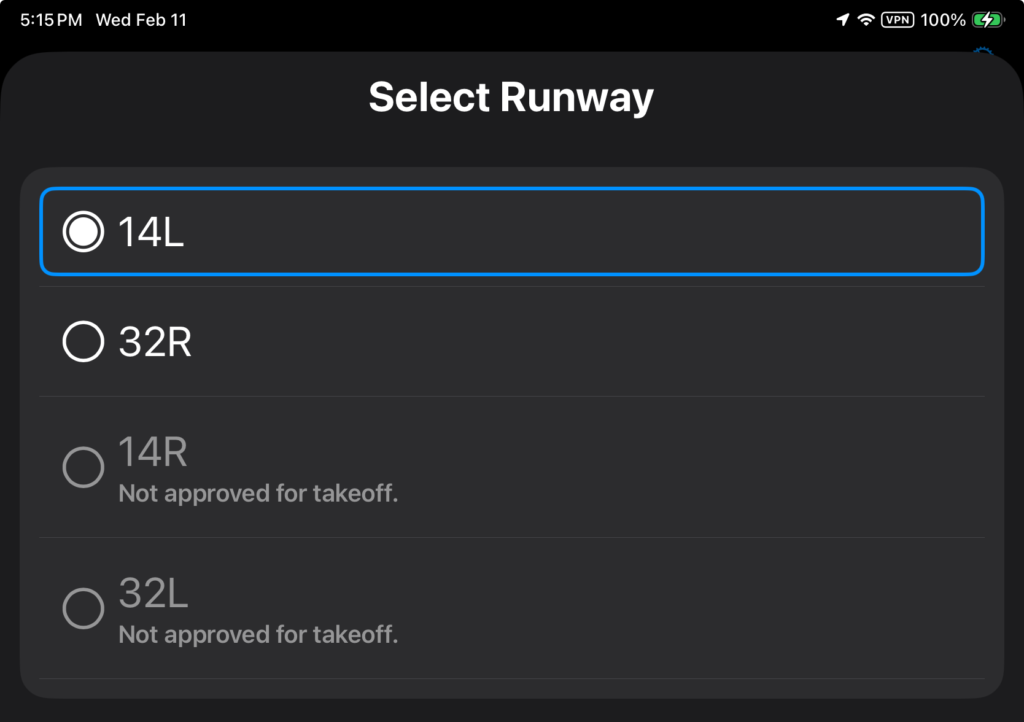
- On the performance tabs at multiple runway airports, if an aircraft type is not approved for takeoff or landing on a runway, that runway is now shown (previously it would not be in the list). The runway will be grayed out and marked not approved. Reciprocal pairs of runways are now displayed together
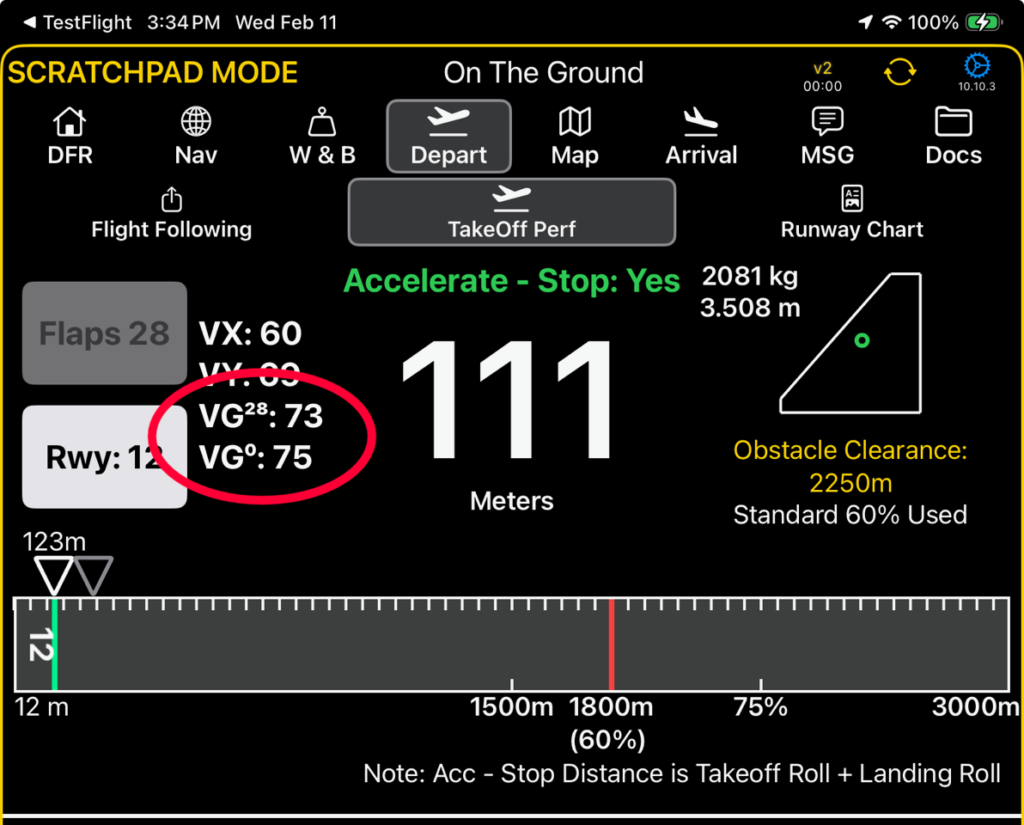
- If you’ve defined best glide speeds for multiple flap positions on your aircraft (contact us if you want to configure best glide speeds for any of your aircraft), then the best glide speed for the selected takeoff flap setting will show along with the zero flap best glide speed
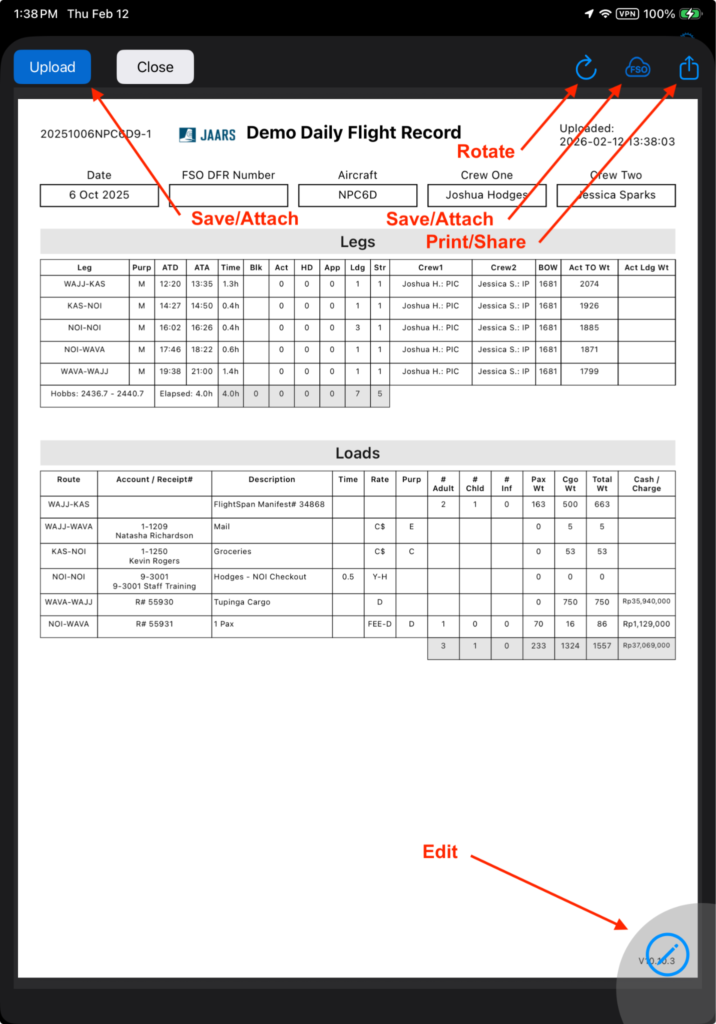
- Only Open Total rates will now allow pilot entry of a cash amount on the DFR tab
- Documents on the Docs Tab are now sorted alphabetically
- If a crewmember had previously logged Block Time, IMC Time, Hood Time, Approaches, or Landings, they are removed when changing to an Observer role
- The Show Post Landing Checklist preference has been added to Aircraft Type EFB Preferences, and the After Landing Checklist Items has expanded formatting options
- Individual files can now be deleted from the Settings / Storage page
- VSR Alerts now suppressed in the traffic pattern
- Helio Courier belly pod display reversed to match other aircraft, with the front to the left
Bug Fixes
- Net Equipment weight change was not updating
- Expired NOTAMs were still showing up on the NAV tab
- Takeoff Roll percent change over 100% was calculated correctly, but the displayed percentage change was incorrect.
- When not using v2, the Before Start checklist was not displaying after sending the manifest
- Could not select Passenger by name on W&B for Stretcher
- Date printed on the Journey Log was today instead of the Flight Date
- Ground time for refueling was on the wrong leg of the Basic flight plan
- When DA was below Sea Level, forecast pressure changed the performance calculation
- Negative custom equipment could not be negative
- When recording fuel dropped, the calculator was displaying aircraft fuel units instead of vendor units.
- Default hourly rate was being incorrectly flagged on the DFR
- Can Load did not check for landing weight and cg
New Aircraft Types
- None