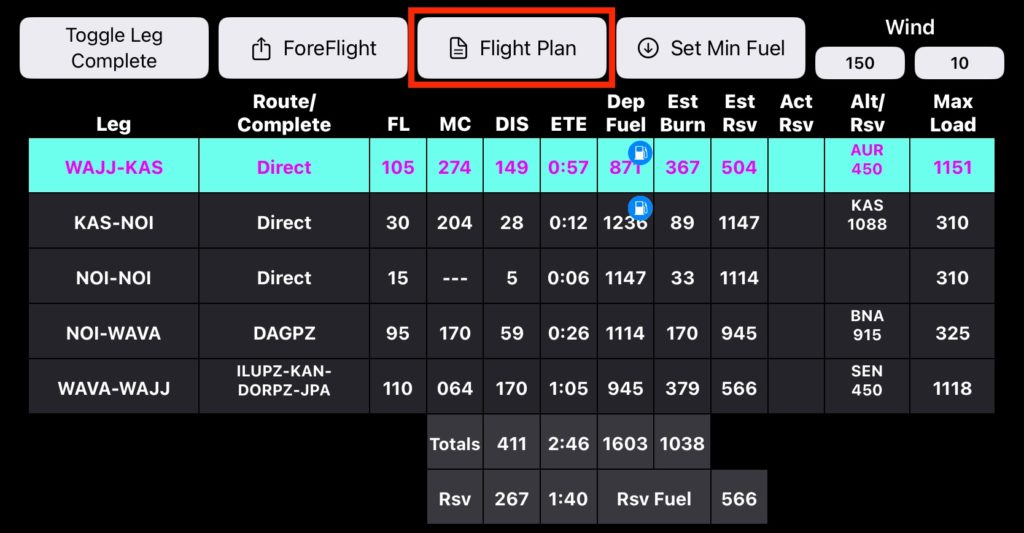
From the Nav tab, tap Flight Plan to open your flight plan for editing and export.
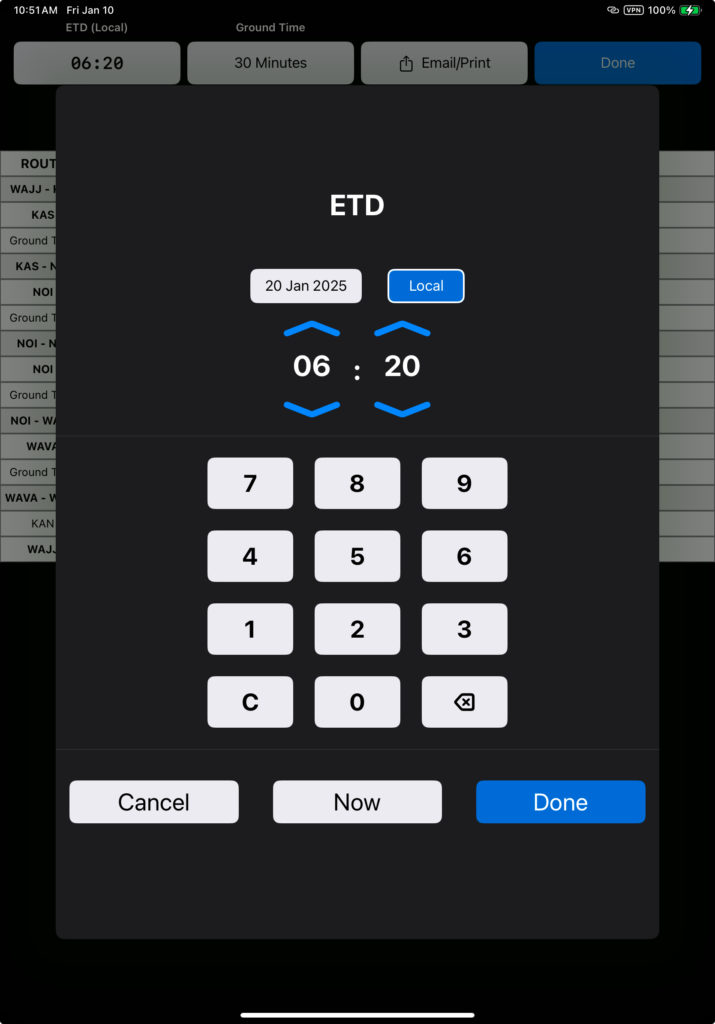
The Flight Plan ETD defaults to the scheduled departure time and date for flights downloaded from FlightSpan™ Ops, or 30 minutes from now for flights created on the iPad. Tap the ETD button to change the departure time and date.
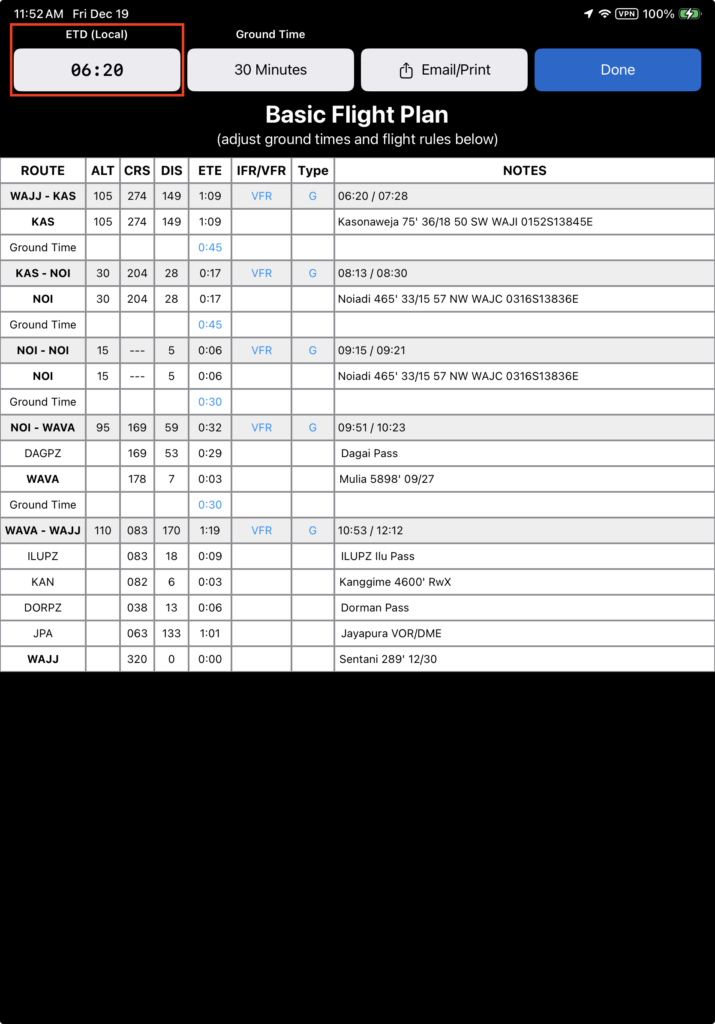
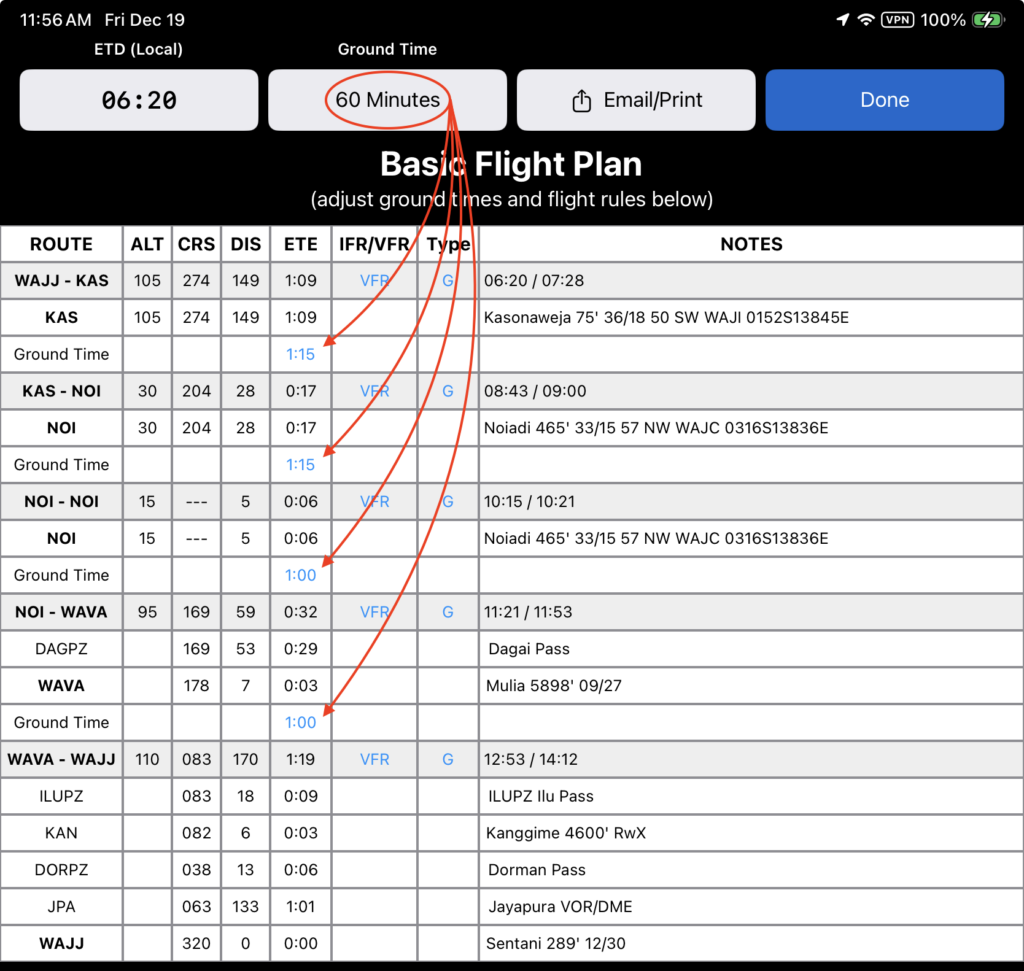
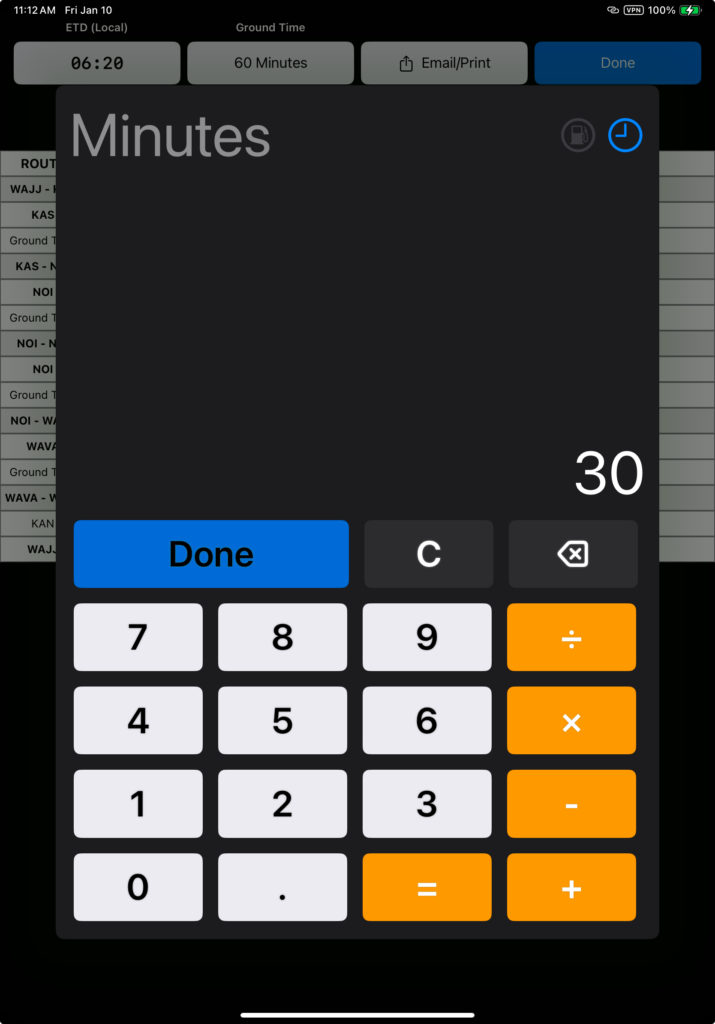
Tap the Ground Time button to change the standard ground time at all stops.
If the default ground time is 30 minutes and default ground time for fuel stops is 45 minutes, changing the ground time to 60 minutes will add 30 minutes to each type of stop.
The default ground time is set in the Aircraft Type Detail.

Additional time for fueling stops are set in Aircraft Type EFB Preferences.

Note: Additional ground time for refueling can also be changed from the individual iPad’s Aircraft Preferences Settings.
Tap the ground time for any given leg to change the ground time for that specific leg.
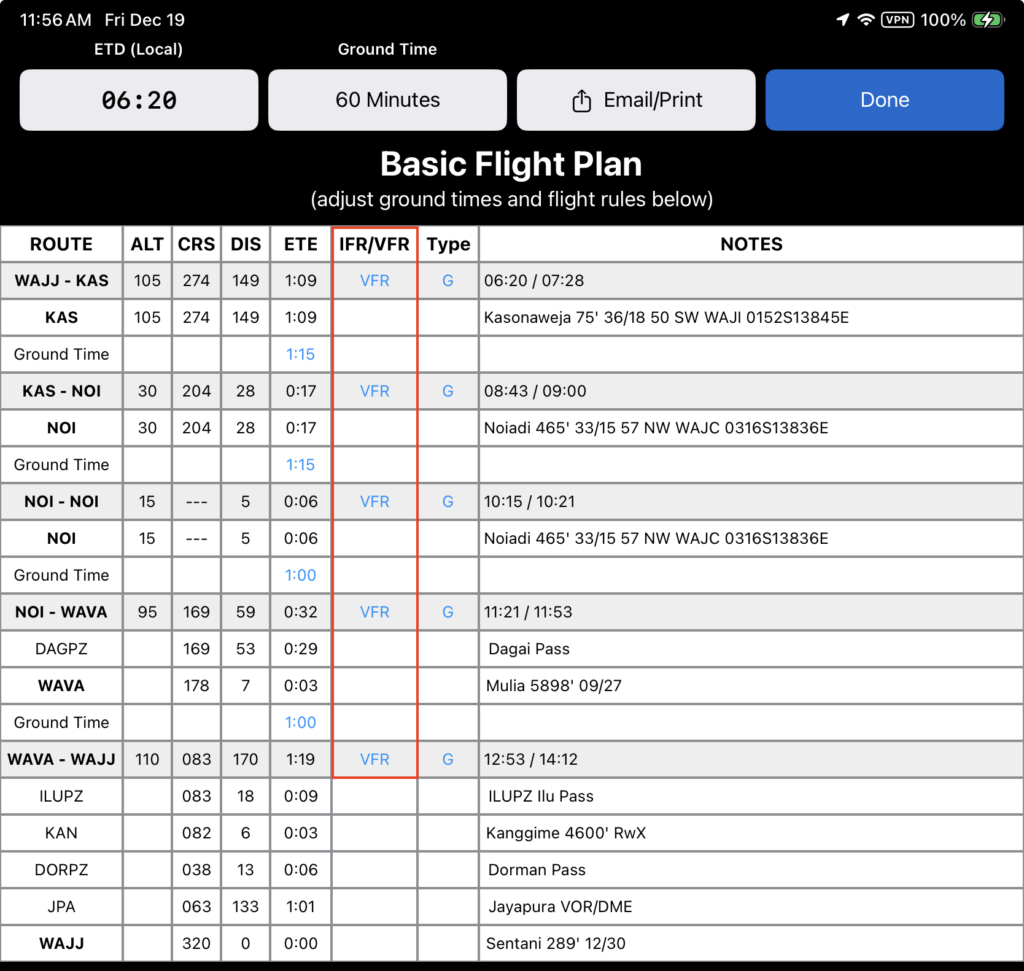
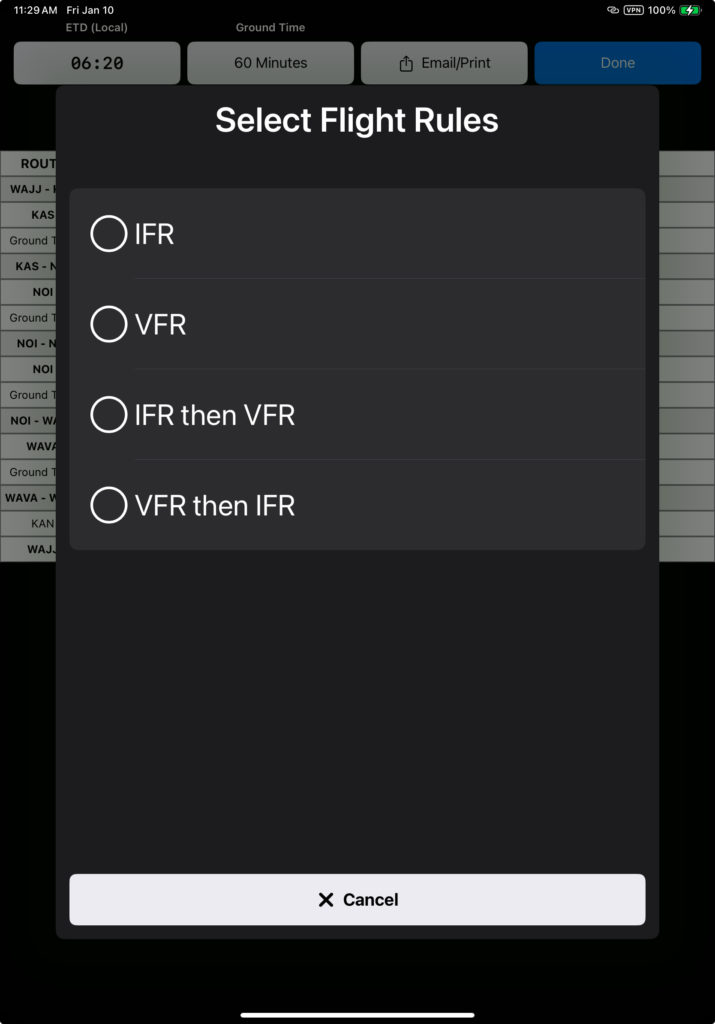
Tap on the flight rules link in the IFR/VFR column for any given leg to change the flight rules for that leg.
The default flight rules are set in Aircraft Type EFB Preferences.

Tap on the type of flight in the Type column to change the type of flight for any given leg.
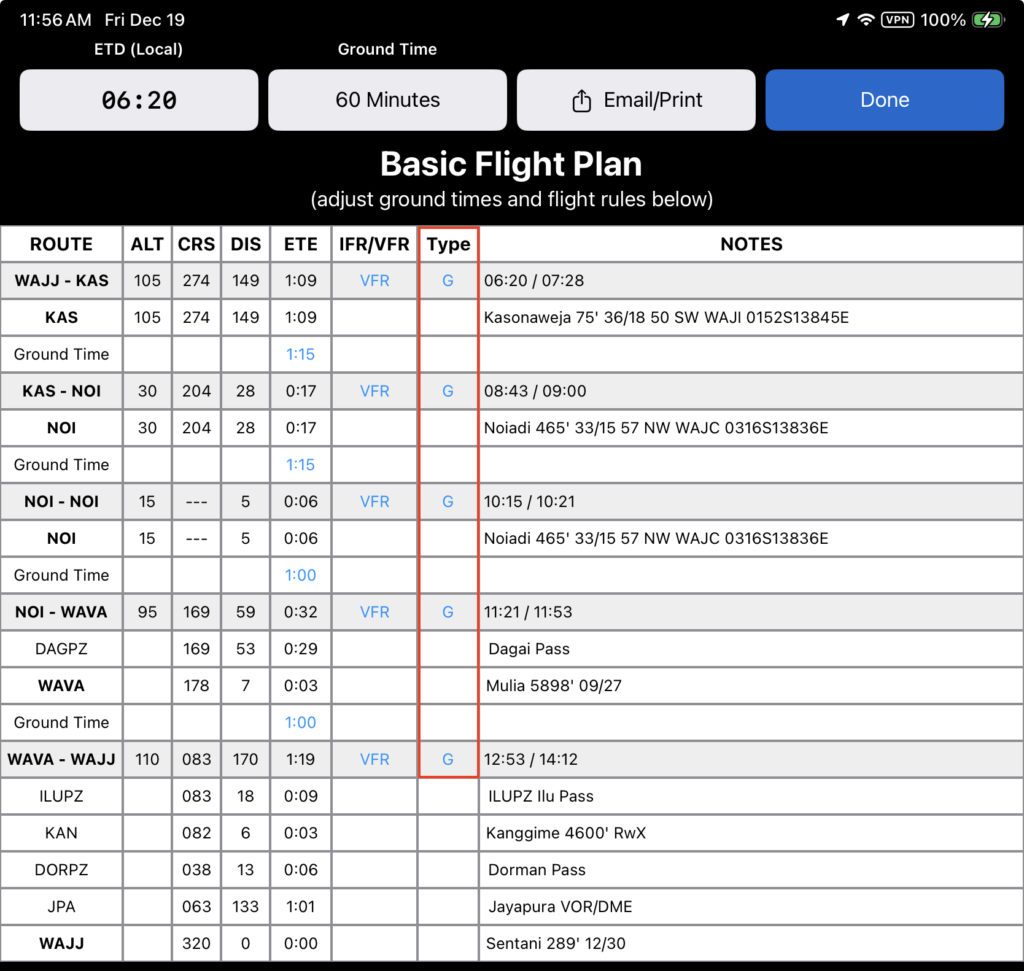
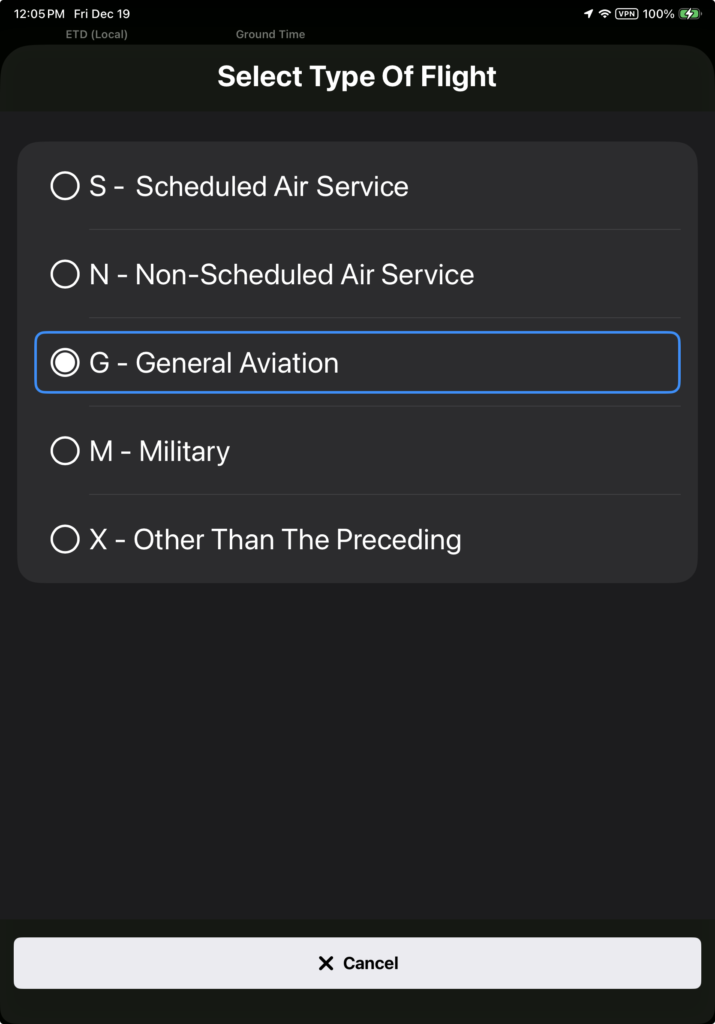
Set the default type of flight in Aircraft Type EFB Preferences.

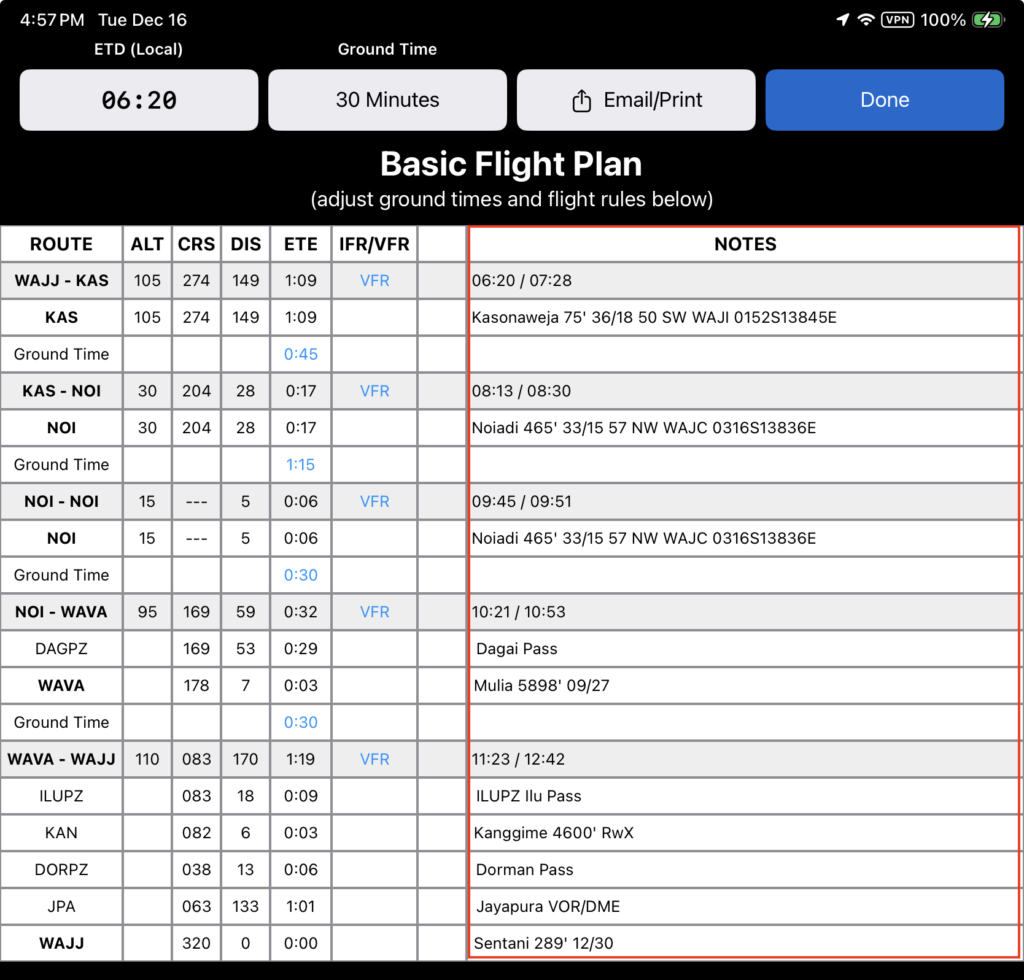
The Notes section lists:
- Estimated departure time and ETA for each destination
- Basic destination information including name, elevation, runway orientation, distance to the nearest ICAO airport, and lat/long
- Name and basic information about each en route waypoint
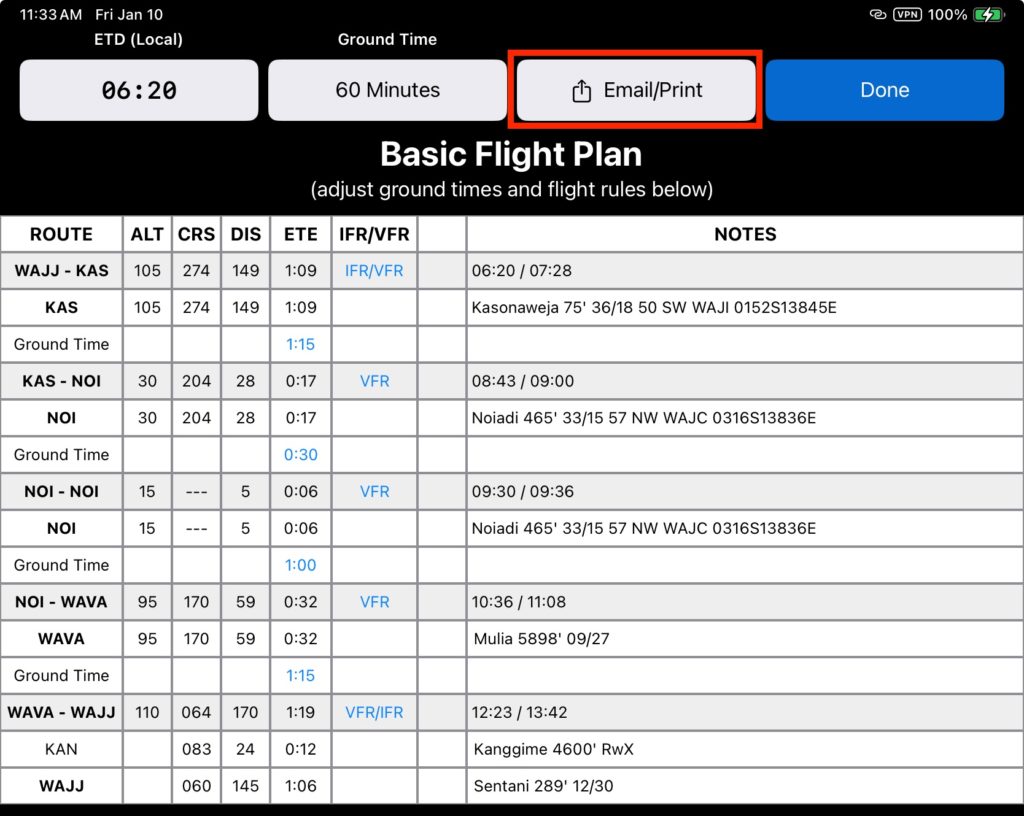
Tap the Email/Print button to export the flight plan in several formats.
Select the desired format from the list.
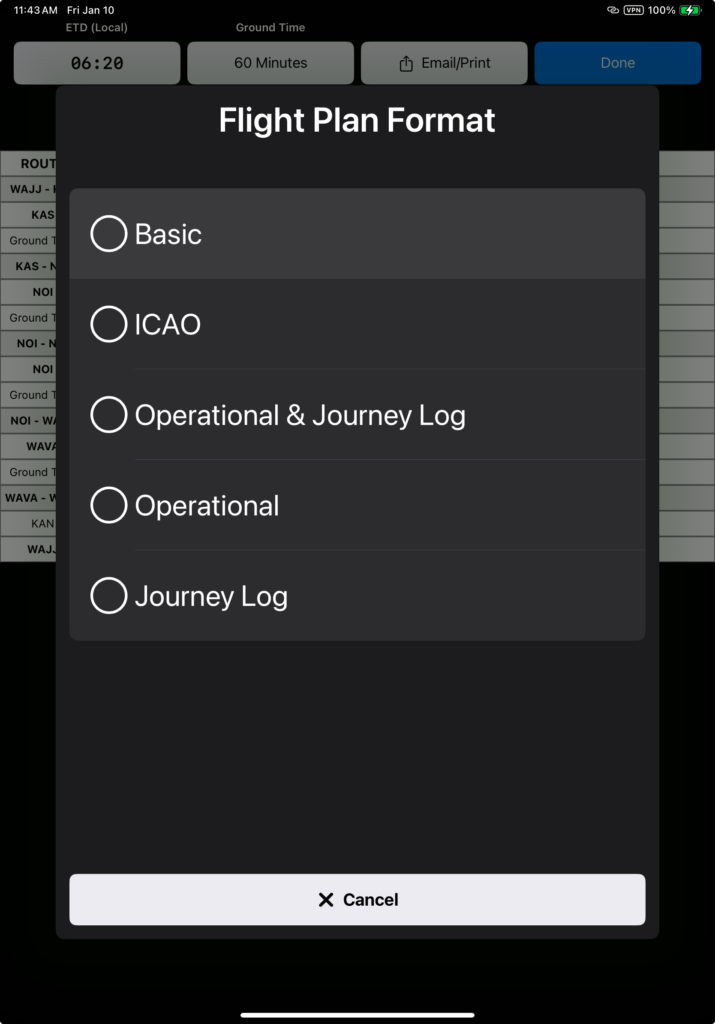
The Basic flight plan is intended for flight crew / internal company use.
Select the printer icon to print or share the document. First tap the rotate button to print in landscape.
Tap the envelope icon to email the document.
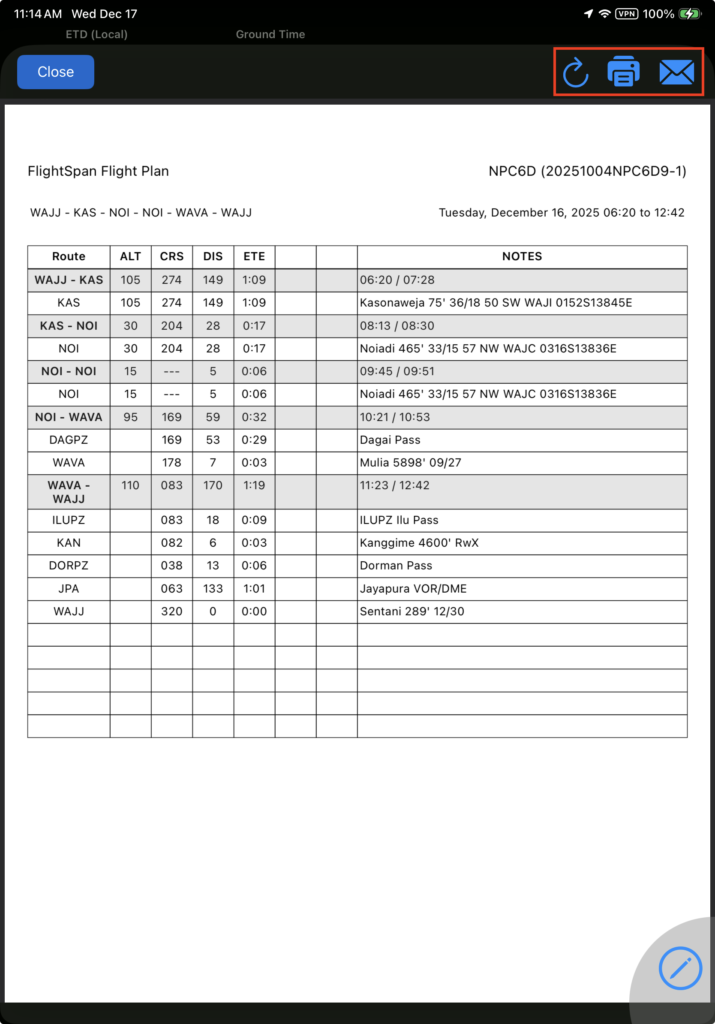
Note: To email your flight plan, Apple Mail must be set up on the iPad.
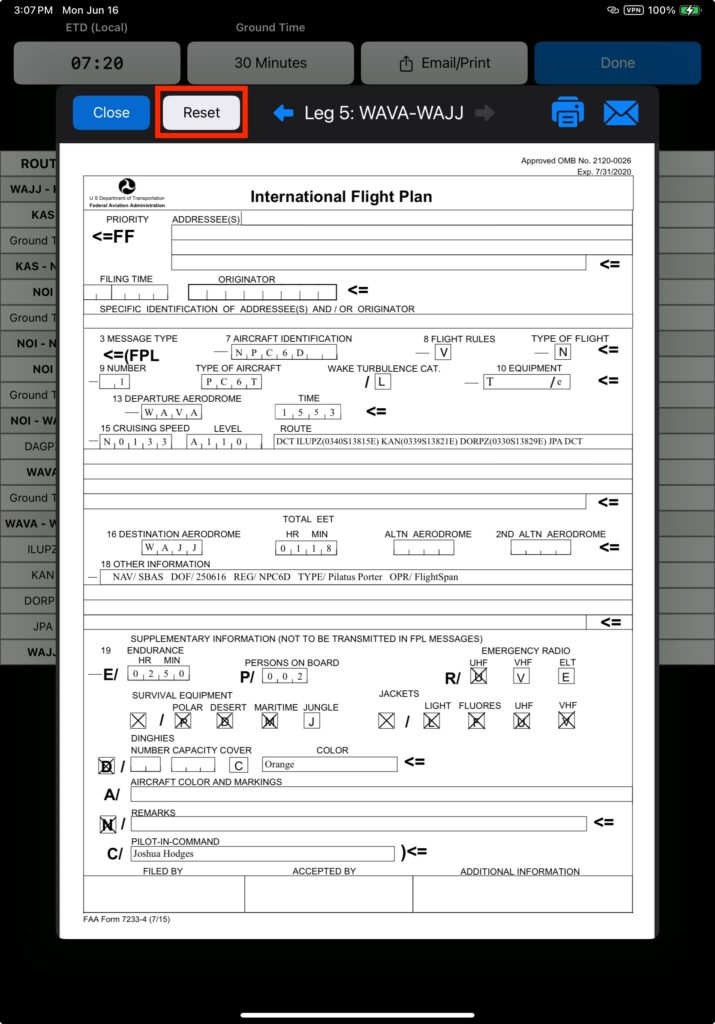
Tap ICAO to generate a standard ICAO flight plan for the first leg of your flight. Tap the arrows to generate a flight plan for any other leg.
Data is prefilled based on information in the DFR, Nav and Weight and Balance tabs.
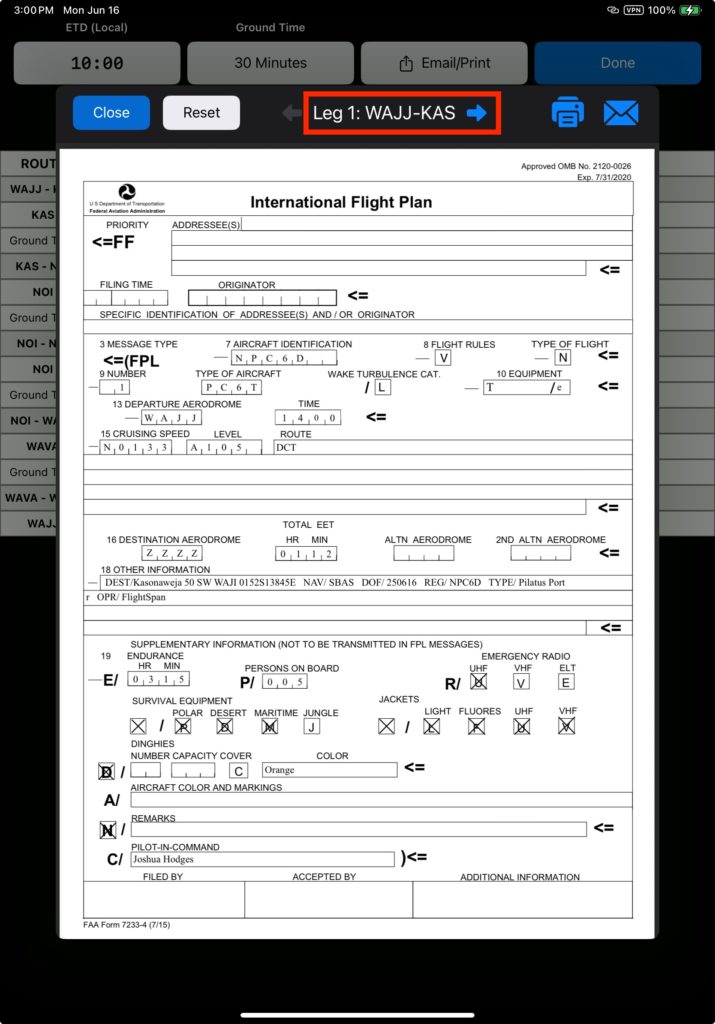
If any data needs to be edited (such as Persons on Board) tap the desired cell and edit as necessary.
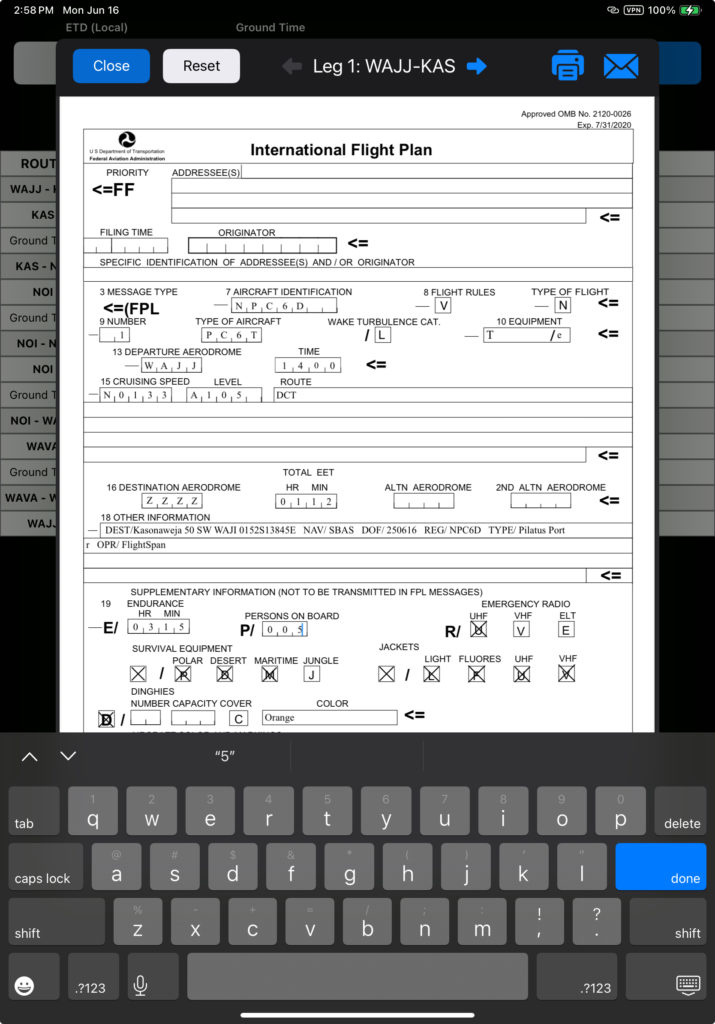
Restore default data using the Reset button.
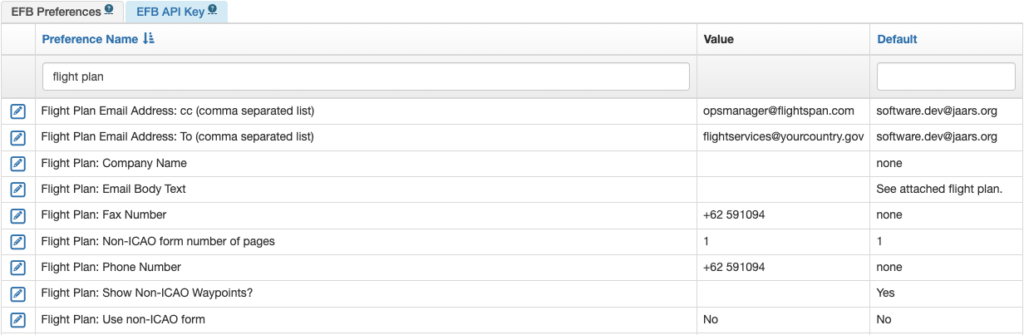
ICAO flight plan settings, and email addresses for all flight plan types are set up in Company EFB Preferences.
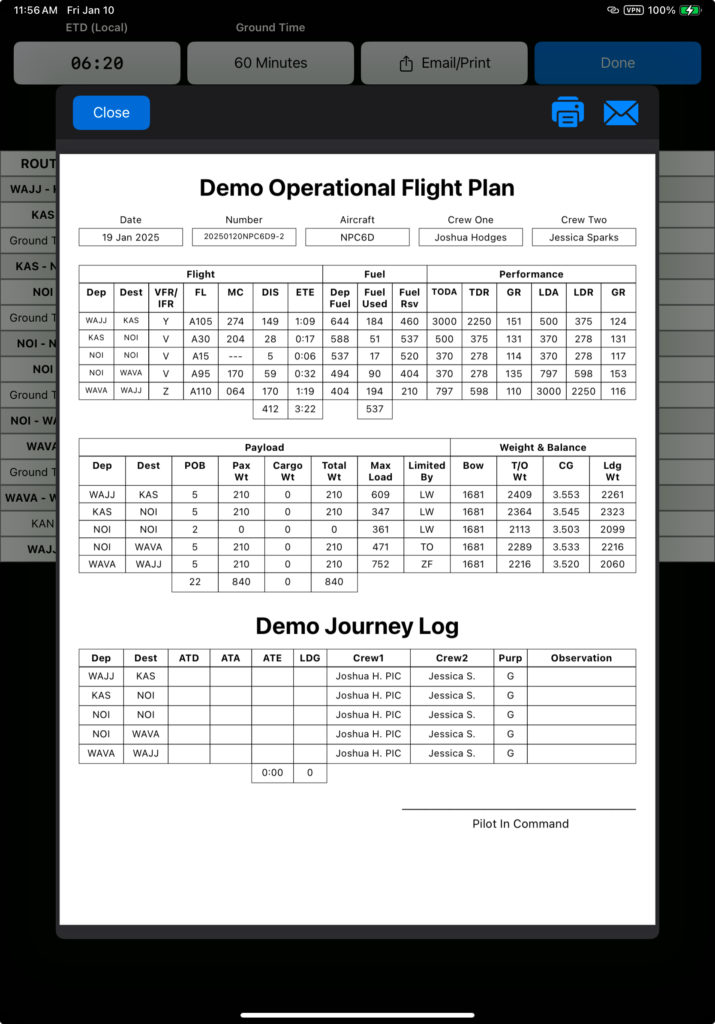
The Operational flight plan puts key flight information at the pilot’s fingertips during the flight, and the Journey Log may be used by the pilot to document the flight progress. Both are ICAO compliant and may be used to fulfill regulatory requirements for operational flight plans and journey logs if your regulator requires them.
Video Version